---
key: mechanic/trackpad--family-07
type: mechanic
id: trackpad--family-07
lang: en
title: Multiple Contact Geometry
summary: >-
Finger separation changes scale. Pinching zooms a document in Preview; the app
may receive a recognised gesture instead of two contact coordinates.
updatedAt: '2026-10-22'
status: active
url: 'https://gamemechanics.pro/en/knowledge/mechanic/trackpad--family-07/'
jsonUrl: >-
https://gamemechanics.pro/api/v1/knowledge/en/mechanic/trackpad--family-07.json
markdownUrl: 'https://gamemechanics.pro/content/knowledge/en/mechanic/trackpad--family-07.md'
aliases: []
tags:
- Trackpad interactions
- Mechanics catalog
sourceIds:
- source-0d7ed8efcd920b62
- source-7641af4e83c63a96
- source-80fb36760a664f26
- source-2aa43929eb995c4c
sources:
- id: source-0d7ed8efcd920b62
title: macOS Gestures
url: 'https://support.apple.com/en-us/102482'
verifiedAt: null
- id: source-7641af4e83c63a96
title: Windows Gestures
url: >-
https://support.microsoft.com/en-us/windows/hardware/input-devices/touch-gestures-for-windows
verifiedAt: null
- id: source-80fb36760a664f26
title: 'AppKit: contacts and system gestures'
url: >-
https://developer.apple.com/library/archive/documentation/Cocoa/Conceptual/EventOverview/HandlingTouchEvents/HandlingTouchEvents.html
verifiedAt: null
- id: source-2aa43929eb995c4c
title: Preview (macOS)
url: >-
https://support.apple.com/guide/preview/view-pdfs-and-images-prvw11470/11.0/mac/26
verifiedAt: null
relations: []
placements:
- catalogId: trackpad
id: family-07
title: Trackpad interactions
url: 'https://gamemechanics.pro/en/mechanics/trackpad/#family-07'
categoryIds:
- section-1
supersededBy: []
attributes:
preview:
updatedAt: '2026-10-22'
title: Multiple Contact Geometry
description: >-
Finger separation changes scale. Pinching zooms a document in Preview; the
app may receive a recognised gesture instead of two contact coordinates.
image:
src: images/mechanics/control-macos-preview.webp
width: 788
height: 750
game: Preview (macOS)
sourceUrl: >-
https://support.apple.com/guide/preview/view-pdfs-and-images-prvw11470/11.0/mac/26
originalUrl: >-
https://help.apple.com/assets/67DB77BFAE89A3DDC700A869/67DB77C0E2208881620C3D38/en_US/918f957676bf215f21f57328147e8435.png
credit: Apple
rights: >-
© Apple. Official support screenshot; all rights reserved. Excluded from
MIT and CC BY 4.0.
caption: 'Preview: page scale changes with a pinch or toolbar controls'
alt: 'Preview: page scale changes with a pinch or toolbar controls'
markers:
- x: 80
'y': 4
label: Zoom controls provide an alternative to a two-finger gesture
tips:
- >-
Do not promise finger coordinates when the API only supplies a zoom
gesture.
examples:
- title: Preview (macOS)
url: >-
https://support.apple.com/guide/preview/view-pdfs-and-images-prvw11470/11.0/mac/26
endsAt: null
provenance: >-
Original editorial design catalog consolidated from project discussions on
2026-10-20. Complete discussion item lists and contextual limitations are
preserved; linked primary sources support specific techniques, not the entire
classification. English translation was prepared with machine assistance and
editorial review.
license: CC-BY-4.0
codeLicense: MIT
attribution: gamemechanics.pro contributors
catalogKey: catalog/trackpad
---
# Multiple Contact Geometry
id: trackpad--family-07
type: mechanic
key: mechanic/trackpad--family-07
lang: en
status: active
url: https://gamemechanics.pro/en/knowledge/mechanic/trackpad--family-07/
Finger separation changes scale. Pinching zooms a document in Preview; the app may receive a recognised gesture instead of two contact coordinates.
## At a glance
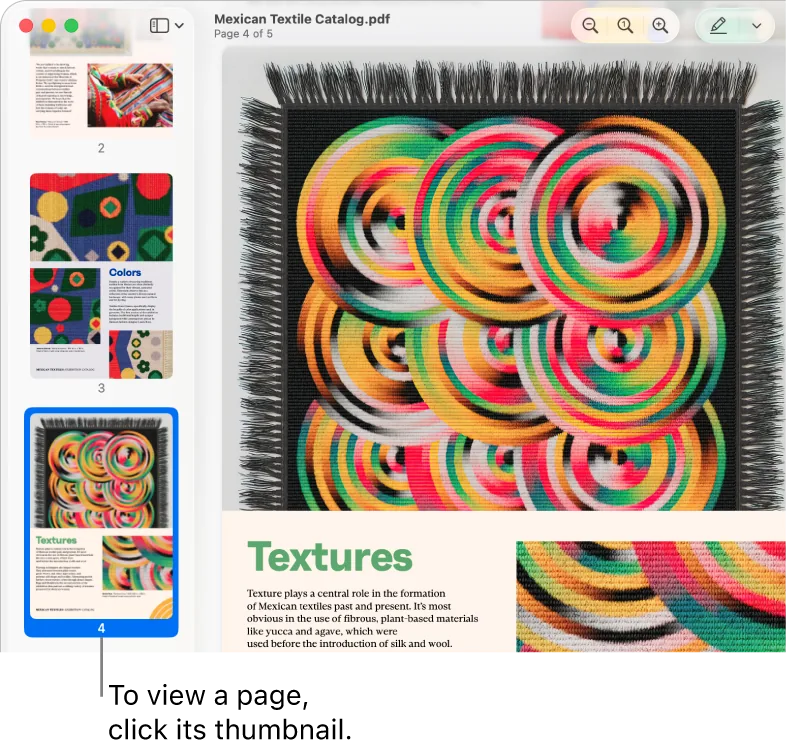
[Preview (macOS)](https://support.apple.com/guide/preview/view-pdfs-and-images-prvw11470/11.0/mac/26) · © Apple. Official support screenshot; all rights reserved. Excluded from MIT and CC BY 4.0.
1. Zoom controls provide an alternative to a two-finger gesture
- Do not promise finger coordinates when the API only supplies a zoom gesture.
- [Preview (macOS)](https://support.apple.com/guide/preview/view-pdfs-and-images-prvw11470/11.0/mac/26)
## How it works
The relative positions of multiple contacts define scale, angle, and other geometric parameters; you need access to this data.
## Variants
### Variants and applications
- Bringing two fingers together. Gesture: Reduce the distance between contacts. In the interface: Zoom out, go to overview. In the game: Move the map away or shrink the game object. Access level: Ready gesture; You need a gesture transmitted by the OS or framework: scroll, zoom, rotate, swipe or hold. The set varies. Conditions: From a ready-made pinch the scale is often available, but not the coordinates of both points.
- Spreading two fingers. Gesture: Increase the distance between contacts. In the interface: Zooming in, revealing details. In the game: Enlarging the map, stretching the spring, opening the shield. Access level: Ready gesture; You need a gesture transmitted by the OS or framework: scroll, zoom, rotate, swipe or hold. The set differs. Conditions: To physically simulate both grips, T. is required.
- Two finger rotation. Gesture: Change the angle of the line between contacts. In the interface: Rotate an image, canvas or model. In the game: Valve, part orientation, rotate an artifact. Access level: Ready gesture; You need a gesture transmitted by the OS or framework: scroll, zoom, rotate, swipe or hold. The set varies. Conditions: Rotate support does not automatically follow from the presence of pinch.
- Simultaneous translation, scale and rotation. Gesture: Move the center, change the distance and angle of the pair. In the interface: Free transformation of an object or canvas. In the game: Installing a part, manipulating a card or mechanism. Access level: Ready gesture; You need a gesture transmitted by the OS or framework: scroll, zoom, rotate, swipe or hold. The set varies. Conditions: The framework must allow joint recognition. Otherwise, you need T and your own handler.
- One finger is like an anchor. Gesture: Leave the contact motionless, the second change the radius or angle. In the interface: Transformation relative to an explicit reference point. In the game: Lever, compass, winding the cable, sight around the support. Access level: Individual contacts; You need access to coordinates, phases and contact IDs. The presence of multitouch on the device does not guarantee this. Conditions: A ready-made scale or rotation may not be enough: both coordinates are needed.
- Two independent grips. Gesture: Each contact controls a separate end of an object. In the interface: Editing a segment, range or connection. In the game: Pull a rope, hold two handles, place a bridge. Access level: Individual contacts; You need access to coordinates, phases and contact IDs. Having multitouch on a device does not guarantee this. Conditions: The application must preserve contact roles and handle the disappearance of one of them.
- Stretch along the selected axis. Gesture: Use a separate change in horizontal or vertical distance. In the interface: Disproportional size, width and height. In the game: Shrink an obstacle, stretch a passage or platform. Access level: Separate contacts; You need access to coordinates, phases and contact IDs. The presence of multitouch on the device does not guarantee this. Conditions: A regular scalar pinch does not report the full geometry of the pair.
- Deformation along three supports. Gesture: Change shape or affine transformation with three tracked points. In the interface: Tilt, shift, deform the mesh. In the game: Bend a soft body, control three fasteners. Access level: Individual contacts; You need access to coordinates, phases and contact IDs. The presence of multitouch on the device does not guarantee this. Conditions: Three independent coordinates are needed. Two points are not enough for an unambiguous general shear transformation.
- Spreading a group of fingers. Gesture: Increase the spread of three or more contacts. In the interface: Expand a group, expand a structure. In the game: Scatter a squad, reveal a device or field. Access level: Individual contacts; You need access to coordinates, phases and contact IDs. The presence of multitouch on the device does not guarantee this. Conditions: May coincide with the global OS gesture; interception verification and number of contacts are required.
- Bringing together a group of fingers. Gesture: Collect multiple contacts to a common center. In the interface: Collapse a group or move to a common structure. In the game: Collect objects, compress an area, concentrate energy. Access level: Individual contacts; You need access to coordinates, phases and contact IDs. The presence of multitouch on a device does not guarantee this. Conditions: Do not assume that each finger has an independent force measurement or a known anatomical role.
## Context and limits
Author's working classification for designing games and interactions. Options can overlap and combine; the list is not a generally accepted standard or proven exhaustive list. Application examples are conditional unless a specific verifiable observation is indicated nearby. Sources support individual techniques and technical limitations.
## Connected materials
## Sources and provenance
Original editorial design catalog consolidated from project discussions on 2026-10-20. Complete discussion item lists and contextual limitations are preserved; linked primary sources support specific techniques, not the entire classification. English translation was prepared with machine assistance and editorial review.
- [macOS Gestures](https://support.apple.com/en-us/102482) (id: source-0d7ed8efcd920b62)
- [Windows Gestures](https://support.microsoft.com/en-us/windows/hardware/input-devices/touch-gestures-for-windows) (id: source-7641af4e83c63a96)
- [AppKit: contacts and system gestures](https://developer.apple.com/library/archive/documentation/Cocoa/Conceptual/EventOverview/HandlingTouchEvents/HandlingTouchEvents.html) (id: source-80fb36760a664f26)
- [Preview (macOS)](https://support.apple.com/guide/preview/view-pdfs-and-images-prvw11470/11.0/mac/26) (id: source-2aa43929eb995c4c)
CC-BY-4.0 · gamemechanics.pro contributors