---
key: mechanic/trackpad--family-06
type: mechanic
id: trackpad--family-06
lang: en
title: Directions and trajectories
summary: >-
A motion trace defines path geometry. Pointer dragging lets a trackpad draw
the lines that form a course in Line Rider.
updatedAt: '2026-10-22'
status: active
url: 'https://gamemechanics.pro/en/knowledge/mechanic/trackpad--family-06/'
jsonUrl: >-
https://gamemechanics.pro/api/v1/knowledge/en/mechanic/trackpad--family-06.json
markdownUrl: 'https://gamemechanics.pro/content/knowledge/en/mechanic/trackpad--family-06.md'
aliases: []
tags:
- Trackpad interactions
- Mechanics catalog
sourceIds:
- source-27c6b989daeb79c9
- source-8303b0f3aad42806
- source-238be6df8e4ca216
sources:
- id: source-27c6b989daeb79c9
title: 'libinput: swipe, pinch, hold'
url: 'https://wayland.freedesktop.org/libinput/doc/latest/gestures.html'
verifiedAt: null
- id: source-8303b0f3aad42806
title: 'W3C: Pointer Events'
url: 'https://www.w3.org/TR/pointerevents/'
verifiedAt: null
- id: source-238be6df8e4ca216
title: Line Rider
url: 'https://www.linerider.com/'
verifiedAt: null
relations: []
placements:
- catalogId: trackpad
id: family-06
title: Trackpad interactions
url: 'https://gamemechanics.pro/en/mechanics/trackpad/#family-06'
categoryIds:
- section-1
supersededBy: []
attributes:
preview:
updatedAt: '2026-10-22'
title: Directions and trajectories
description: >-
A motion trace defines path geometry. Pointer dragging lets a trackpad
draw the lines that form a course in Line Rider.
image:
src: images/mechanics/interface-line-rider.webp
width: 1280
height: 720
crop:
x: 530
'y': 300
width: 540
height: 250
game: Line Rider
sourceUrl: 'https://www.linerider.com/'
originalUrl: 'https://www.linerider.com/'
credit: 'Boštjan Čadež; original browser capture, 2026-10-22'
rights: >-
© Boštjan Čadež. Actual unsigned Line Rider session, version 2250.0. The
route was drawn through normal controls and the simulation paused at
frame 28. All rights reserved; excluded from MIT and CC BY 4.0.
caption: 'Line Rider: the rider travels along a drawn slope'
alt: 'Line Rider: the rider travels along a drawn slope'
markers:
- x: 55
'y': 57
label: The drawn line determines the sled’s riding surface
tips:
- >-
For stroke gestures, consider shape and direction rather than distance
alone.
examples:
- title: Line Rider
url: 'https://www.linerider.com/'
endsAt: null
provenance: >-
Original editorial design catalog consolidated from project discussions on
2026-10-20. Complete discussion item lists and contextual limitations are
preserved; linked primary sources support specific techniques, not the entire
classification. English translation was prepared with machine assistance and
editorial review.
license: CC-BY-4.0
codeLicense: MIT
attribution: gamemechanics.pro contributors
catalogKey: catalog/trackpad
---
# Directions and trajectories
id: trackpad--family-06
type: mechanic
key: mechanic/trackpad--family-06
lang: en
status: active
url: https://gamemechanics.pro/en/knowledge/mechanic/trackpad--family-06/
A motion trace defines path geometry. Pointer dragging lets a trackpad draw the lines that form a course in Line Rider.
## At a glance
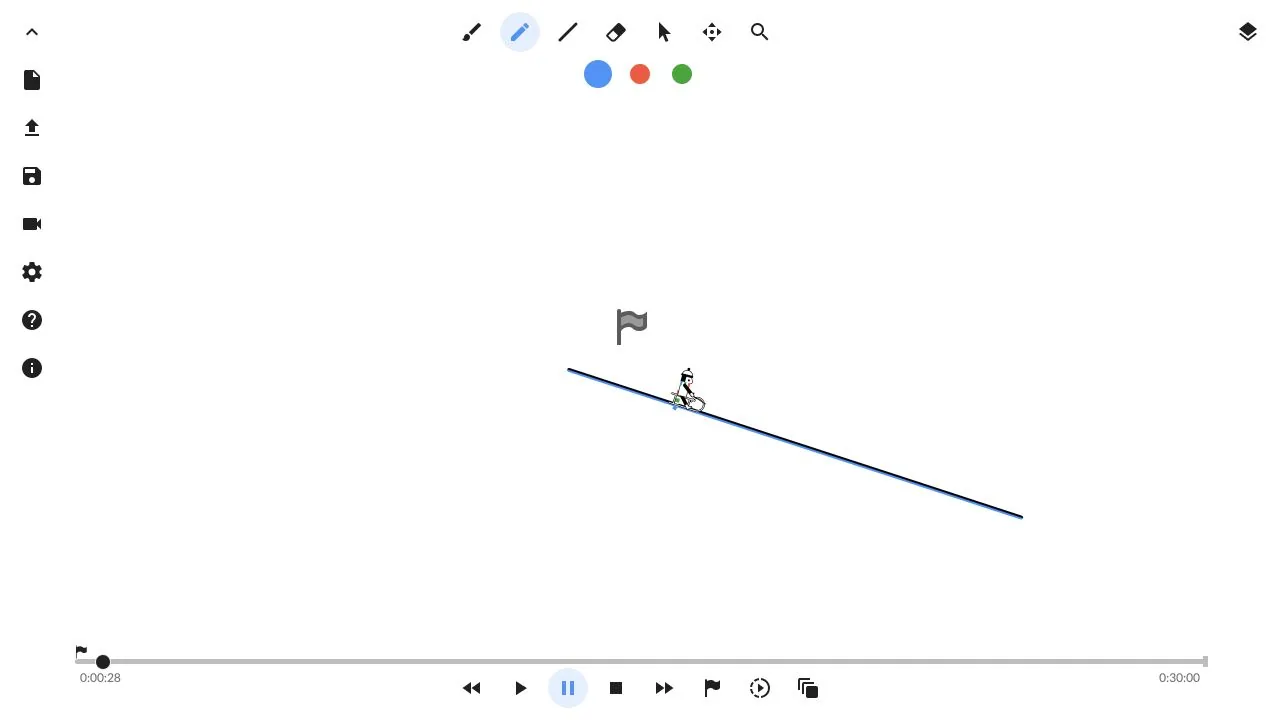
[Line Rider](https://www.linerider.com/) · © Boštjan Čadež. Actual unsigned Line Rider session, version 2250.0. The route was drawn through normal controls and the simulation paused at frame 28. All rights reserved; excluded from MIT and CC BY 4.0.
1. The drawn line determines the sled’s riding surface
- For stroke gestures, consider shape and direction rather than distance alone.
- [Line Rider](https://www.linerider.com/)
## How it works
The direction, shape and order of the trajectory sections become a recognizable command or condition of the game action.
## Variants
### Variants and applications
- Directional swipe. Gesture: Perform a recognizable move up, down, left or right. In the interface: Flip, close the card, move. In the game: Dodge, slash, quick order. Access level: Ready gesture; You need a gesture transmitted by the OS or framework: scroll, zoom, rotate, swipe or hold. The set varies. Conditions: The number of fingers and swipe availability are determined by the platform. Alternative: recognize drag via P.
- Diagonal stroke. Gesture: Make a short drag in one of eight sectors. In the interface: Expanded menu of directional commands. In the game: Eight directions of impact or roll. Access level: Cursor and buttons; The application gets the usual pointer and buttons. The physical fingers and their separation may be unknown to him. Conditions: Without holding the button and with reference to physical movement, T. is needed.
- A quick stroke. Gesture: Take into account the speed and direction of a short drag. In the interface: Quickly delete, send, shift an element. In the game: Swing, parry, sharp push. Access level: Cursor and buttons; The application gets the usual pointer and buttons. The physical fingers and their separation may be unknown to him. Conditions: The speed threshold must be distinguished from the length threshold and checked with different cursor sensitivity.
- Gesture back and forth. Gesture: Change direction within one trajectory. In the interface: Cancel, return, confirm by sequence. In the game: Cocking the mechanism, jerking the shutter, working with a saw. Access level: Cursor and buttons; The application gets the usual pointer and buttons. The physical fingers and their separation may be unknown to him. Conditions: The movement is recognized by the application; This is not a standard touchpad event.
- Circle. Gesture: Draw a closed circle while holding the button. In the interface: Rotate the knob or select a cyclic parameter. In the game: Start the mechanism, mix, draw a spell circle. Access level: Cursor and buttons; The application gets the usual pointer and buttons. The physical fingers and their separation may be unknown to him. Conditions: Requires tolerance for incomplete closure and shape. Contact option without click requires T.
- Arc. Gesture: Draw part of a circle. In the interface: Rotate, angle adjustment, fan selection. In the game: Sword swing, arc shield, valve control. Access level: Cursor and buttons; The application gets the usual pointer and buttons. Physical fingers and their separation may be unknown to him. Conditions: Distinguish the desired arc from a random curvature of movement.
- Zigzag. Gesture: Perform a sequence of turns. In the interface: Form command, graphic code. In the game: Lightning, cut, pattern hacking. Access level: Cursor and buttons; The application gets the usual pointer and buttons. Physical fingers and their separation may be unknown to him. Conditions: Long gesture passwords are difficult to detect without a hint.
- Trituration. Gesture: Move back and forth repeatedly in a small area. In the interface: Erasing, clearing a mask, developing a layer. In the game: Wipe off dirt, light a fire, sharpen an object. Access level: Cursor and buttons; The application gets the usual pointer and buttons. Physical fingers and their separation may be unknown to him. Conditions: Limit the required number of repetitions; movement alone does not measure the friction of a material.
- Drawing a symbol. Gesture: Draw a letter, number or symbol. In the interface: Handwriting, annotation, symbol command. In the game: Runes, spells, signature, graphic lock. Access level: Cursor and buttons; The application gets the usual pointer and buttons. The physical fingers and their separation may be unknown to him. Conditions: A recognizer and error checking are needed. The standard trackpad API does not recognize runes automatically.
- Following the contour. Gesture: Continuously move the cursor along a given path. In the interface: Stroke, precision trainer, manual mask. In the game: Guiding through a labyrinth, surgery, connecting paths. Access level: Cursor and buttons; The application gets the usual pointer and buttons. The physical fingers and their separation may be unknown to him. Conditions: Tolerance, visibility of the cursor and the ability to rearrange the finger must be taken into account.
## Context and limits
Author's working classification for designing games and interactions. Options can overlap and combine; the list is not a generally accepted standard or proven exhaustive list. Application examples are conditional unless a specific verifiable observation is indicated nearby. Sources support individual techniques and technical limitations.
## Connected materials
## Sources and provenance
Original editorial design catalog consolidated from project discussions on 2026-10-20. Complete discussion item lists and contextual limitations are preserved; linked primary sources support specific techniques, not the entire classification. English translation was prepared with machine assistance and editorial review.
- [libinput: swipe, pinch, hold](https://wayland.freedesktop.org/libinput/doc/latest/gestures.html) (id: source-27c6b989daeb79c9)
- [W3C: Pointer Events](https://www.w3.org/TR/pointerevents/) (id: source-8303b0f3aad42806)
- [Line Rider](https://www.linerider.com/) (id: source-238be6df8e4ca216)
CC-BY-4.0 · gamemechanics.pro contributors