---
key: mechanic/trackpad--family-04
type: mechanic
id: trackpad--family-04
lang: en
title: Dragging and grabbing
summary: >-
Grabbing links the pointer to an object and release completes the drag. In
Mini Metro dragging builds a line between stations.
updatedAt: '2026-10-22'
status: active
url: 'https://gamemechanics.pro/en/knowledge/mechanic/trackpad--family-04/'
jsonUrl: >-
https://gamemechanics.pro/api/v1/knowledge/en/mechanic/trackpad--family-04.json
markdownUrl: 'https://gamemechanics.pro/content/knowledge/en/mechanic/trackpad--family-04.md'
aliases: []
tags:
- Trackpad interactions
- Mechanics catalog
sourceIds:
- source-0d7ed8efcd920b62
- source-20585e90edc5bdfb
- source-8303b0f3aad42806
- source-a088527490edebae
sources:
- id: source-0d7ed8efcd920b62
title: macOS Gestures
url: 'https://support.apple.com/en-us/102482'
verifiedAt: null
- id: source-20585e90edc5bdfb
title: Clicking and dragging Surface
url: >-
https://support.microsoft.com/en-us/surface/accessories/cover-keyboard/surface-touchpad-use-and-settings
verifiedAt: null
- id: source-8303b0f3aad42806
title: 'W3C: Pointer Events'
url: 'https://www.w3.org/TR/pointerevents/'
verifiedAt: null
- id: source-a088527490edebae
title: Mini Metro
url: 'https://store.steampowered.com/app/287980/'
verifiedAt: null
relations: []
placements:
- catalogId: trackpad
id: family-04
title: Trackpad interactions
url: 'https://gamemechanics.pro/en/mechanics/trackpad/#family-04'
categoryIds:
- section-1
supersededBy: []
attributes:
preview:
updatedAt: '2026-10-22'
title: Dragging and grabbing
description: >-
Grabbing links the pointer to an object and release completes the drag. In
Mini Metro dragging builds a line between stations.
image:
src: images/mechanics/interface-mini-metro-00.webp
width: 1440
height: 810
game: Mini Metro
sourceUrl: 'https://store.steampowered.com/app/287980/'
originalUrl: >-
https://shared.akamai.steamstatic.com/store_item_assets/steam/apps/287980/ss_c7bc5df7e606504709e9f53ff9c7584ac4c01b18.1920x1080.jpg?t=1724386220
credit: Dinosaur Polo Club / Dinosaur Polo Club
rights: >-
© Dinosaur Polo Club / Dinosaur Polo Club. All rights reserved. Excluded
from MIT and CC BY 4.0.
caption: 'Mini Metro: colored lines connect differently shaped stations'
alt: 'Mini Metro: colored lines connect differently shaped stations'
markers:
- x: 46
'y': 47
label: Connections define train routes and transfers
tips:
- Retain capture outside the object and allow dragging to be cancelled.
examples:
- title: Mini Metro
url: 'https://store.steampowered.com/app/287980/'
endsAt: null
provenance: >-
Original editorial design catalog consolidated from project discussions on
2026-10-20. Complete discussion item lists and contextual limitations are
preserved; linked primary sources support specific techniques, not the entire
classification. English translation was prepared with machine assistance and
editorial review.
license: CC-BY-4.0
codeLicense: MIT
attribution: gamemechanics.pro contributors
catalogKey: catalog/trackpad
---
# Dragging and grabbing
id: trackpad--family-04
type: mechanic
key: mechanic/trackpad--family-04
lang: en
status: active
url: https://gamemechanics.pro/en/knowledge/mechanic/trackpad--family-04/
Grabbing links the pointer to an object and release completes the drag. In Mini Metro dragging builds a line between stations.
## At a glance
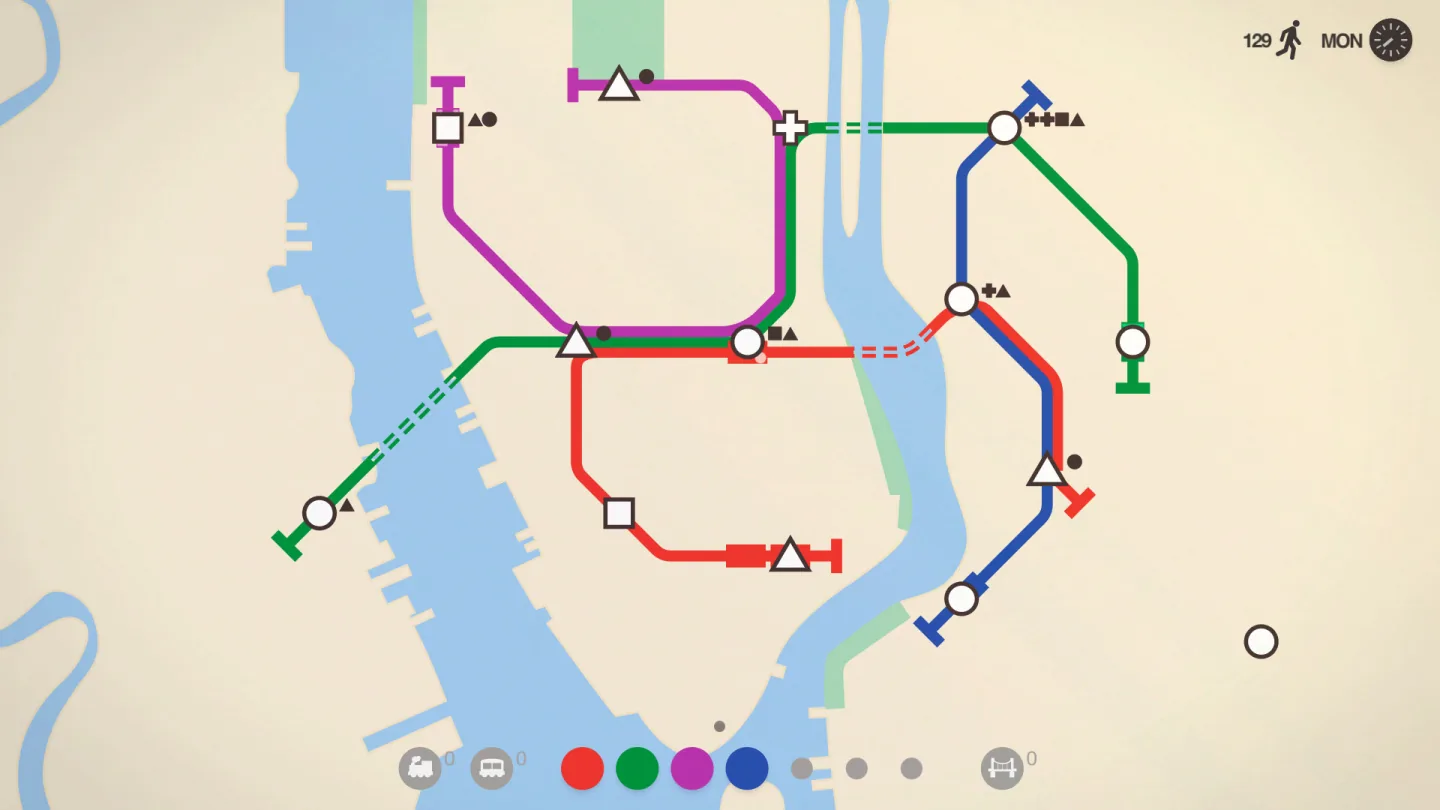
[Mini Metro](https://store.steampowered.com/app/287980/) · © Dinosaur Polo Club / Dinosaur Polo Club. All rights reserved. Excluded from MIT and CC BY 4.0.
1. Connections define train routes and transfers
- Retain capture outside the object and allow dragging to be cancelled.
- [Mini Metro](https://store.steampowered.com/app/287980/)
## How it works
Grabbing connects the pointer movement to the object, and releasing completes the carry, throw, or setup.
## Variants
### Variants and applications
- Click and drag. Gesture: Hold the button and move your finger. In the interface: Move an object, select, control the slider. In the game: Move an object, aim by pulling. Access level: Cursor and buttons; The application gets the usual pointer and buttons. The physical fingers and their separation may be unknown to him. Conditions: The joint movement and pressing must remain comfortable on a specific clickpad.
- Tap, second tap and hold. Gesture: Touch, then immediately touch again and move your finger. In the interface: Drag without pressing the panel. In the game: Carrying game objects with less load on the hand. Access level: Cursor and buttons; The application gets the usual pointer and buttons. Physical fingers and their separation may be unknown to him. Conditions: Works with appropriate driver or OS settings.
- Three-finger dragging. Gesture: Swipe with three fingers instead of holding a click. In the interface: Moving windows, objects and selections. In the game: Moving pieces and controlling the lever. Access level: Cursor and buttons; The application gets the usual pointer and buttons. Physical fingers and their separation may be unknown to him. Conditions: In macOS it is turned on separately; the game usually gets a drag result rather than three contacts.
- Fixation of the grip. Gesture: Continue carrying after a short break; complete with a separate action. In the interface: Transfer over a long distance, accessible controls. In the game: Moving a heavy object across the entire field. Access level: Cursor and buttons; The application gets the usual pointer and buttons. The physical fingers and their separation may be unknown to him. Conditions: May be provided by the OS or application logic; need an explicit reset command.
- Drag-and-drop. Gesture: Grab an object, move it and release it on the receiver. In the interface: Files, cards, placement of blocks. In the game: Inventory, crafting, assembling a structure. Access level: Cursor and buttons; The application gets the usual pointer and buttons. The physical fingers and their separation may be unknown to him. Conditions: Show valid receivers and the result before releasing.
- Frame selection. Gesture: Draw a rectangular area. In the interface: Group selection of objects, range on the canvas. In the game: Select a squad, construction area. Access level: Cursor and buttons; The application gets the usual pointer and buttons. Physical fingers and their separation may be unknown to him. Conditions: The rules for including objects inside the frame must be consistent.
- Lasso. Gesture: Circle an arbitrary area while holding the button. In the interface: Selection along a contour, mask, image editor. In the game: Capture territory, encircling a group of objects. Access level: Cursor and buttons; The application gets the usual pointer and buttons. The physical fingers and their separation may be unknown to him. Conditions: For a free trace without a click, T is needed; through normal drag and drop P is enough.
- Rearrangement in sequence. Gesture: Drag an element between neighbors. In the interface: Sorting a list, tabs, time blocks. In the game: Order of cards, moves, participants or abilities. Access level: Cursor and buttons; The application gets the usual pointer and buttons. The physical fingers and their separation may be unknown to him. Conditions: Preview of the insertion site reduces uncertainty.
- Tension and release. Gesture: Pull from the reference point, then release. In the interface: Setting the vector and magnitude of the action. In the game: Slingshot, bow, billiard shot, spring. Access level: Cursor and buttons; The application gets the usual pointer and buttons. The physical fingers and their separation may be unknown to him. Conditions: The length of the screen vector sets the program parameter, and not the measured finger strength.
- Throw with momentum. Gesture: Accelerate an object by dragging and releasing. In the interface: Fast movement with software inertia. In the game: Throwing, curling, puck, throwing a card. Access level: Cursor and buttons; The application gets the usual pointer and buttons. The physical fingers and their separation may be unknown to him. Conditions: Speed must be assessed steadily and limited; System cursor acceleration affects the feel.
## Context and limits
Author's working classification for designing games and interactions. Options can overlap and combine; the list is not a generally accepted standard or proven exhaustive list. Application examples are conditional unless a specific verifiable observation is indicated nearby. Sources support individual techniques and technical limitations.
## Connected materials
## Sources and provenance
Original editorial design catalog consolidated from project discussions on 2026-10-20. Complete discussion item lists and contextual limitations are preserved; linked primary sources support specific techniques, not the entire classification. English translation was prepared with machine assistance and editorial review.
- [macOS Gestures](https://support.apple.com/en-us/102482) (id: source-0d7ed8efcd920b62)
- [Clicking and dragging Surface](https://support.microsoft.com/en-us/surface/accessories/cover-keyboard/surface-touchpad-use-and-settings) (id: source-20585e90edc5bdfb)
- [W3C: Pointer Events](https://www.w3.org/TR/pointerevents/) (id: source-8303b0f3aad42806)
- [Mini Metro](https://store.steampowered.com/app/287980/) (id: source-a088527490edebae)
CC-BY-4.0 · gamemechanics.pro contributors