---
key: mechanic/phone-magnetometer--family-01
type: mechanic
id: phone-magnetometer--family-01
lang: en
title: Phone heading
summary: >-
Phone heading can control an aim direction, sector or route. Magnetic and
geographic north require different corrections.
updatedAt: '2026-10-22'
status: active
url: 'https://gamemechanics.pro/en/knowledge/mechanic/phone-magnetometer--family-01/'
jsonUrl: >-
https://gamemechanics.pro/api/v1/knowledge/en/mechanic/phone-magnetometer--family-01.json
markdownUrl: >-
https://gamemechanics.pro/content/knowledge/en/mechanic/phone-magnetometer--family-01.md
aliases: []
tags:
- Phone magnetometer interactions
- Mechanics catalog
sourceIds:
- source-603978442e60360e
sources:
- id: source-603978442e60360e
title: Physics Toolbox Magnetometer
url: >-
https://apps.apple.com/us/app/physics-toolbox-magnetometer/id1003749103?uo=4
verifiedAt: null
relations: []
placements:
- catalogId: phone-magnetometer
id: family-01
title: Phone magnetometer interactions
url: 'https://gamemechanics.pro/en/mechanics/phone-magnetometer/#family-01'
categoryIds:
- section-1
supersededBy: []
attributes:
preview:
updatedAt: '2026-10-22'
title: Phone heading
description: >-
Phone heading can control an aim direction, sector or route. Magnetic and
geographic north require different corrections.
image:
src: images/mechanics/sensor-physics-magnet-2.webp
width: 665
height: 1440
crop:
x: 51
'y': 323
width: 563
height: 1034
game: Physics Toolbox Magnetometer
sourceUrl: >-
https://apps.apple.com/us/app/physics-toolbox-magnetometer/id1003749103?uo=4
originalUrl: >-
https://is1-ssl.mzstatic.com/image/thumb/PurpleSource211/v4/a9/58/b1/a958b1b9-4cea-7513-75d5-8e6283b73916/03-find-north.png/720x1560bb.jpg
credit: Chrystian Vieyra
rights: >-
© Chrystian Vieyra. Developer-distributed App Store screenshot. All
rights reserved; excluded from MIT and CC BY 4.0.
caption: 'Physics Toolbox: a Magnetic / True compass with True selected'
alt: 'Physics Toolbox: a Magnetic / True compass with True selected'
markers:
- x: 50
'y': 38
label: '317°: heading in the selected true-north mode'
tips:
- 'Account for tilt, calibration and interference when estimating heading.'
examples:
- title: Physics Toolbox Magnetometer
url: >-
https://apps.apple.com/us/app/physics-toolbox-magnetometer/id1003749103?uo=4
endsAt: null
provenance: >-
Original editorial design catalog consolidated from project discussions on
2026-10-20. Complete discussion item lists and contextual limitations are
preserved; linked primary sources support specific techniques, not the entire
classification. English translation was prepared with machine assistance and
editorial review.
license: CC-BY-4.0
codeLicense: MIT
attribution: gamemechanics.pro contributors
catalogKey: catalog/phone-magnetometer
---
# Phone heading
id: phone-magnetometer--family-01
type: mechanic
key: mechanic/phone-magnetometer--family-01
lang: en
status: active
url: https://gamemechanics.pro/en/knowledge/mechanic/phone-magnetometer--family-01/
Phone heading can control an aim direction, sector or route. Magnetic and geographic north require different corrections.
## At a glance
[Physics Toolbox Magnetometer](https://apps.apple.com/us/app/physics-toolbox-magnetometer/id1003749103?uo=4) · © Chrystian Vieyra. Developer-distributed App Store screenshot. All rights reserved; excluded from MIT and CC BY 4.0.
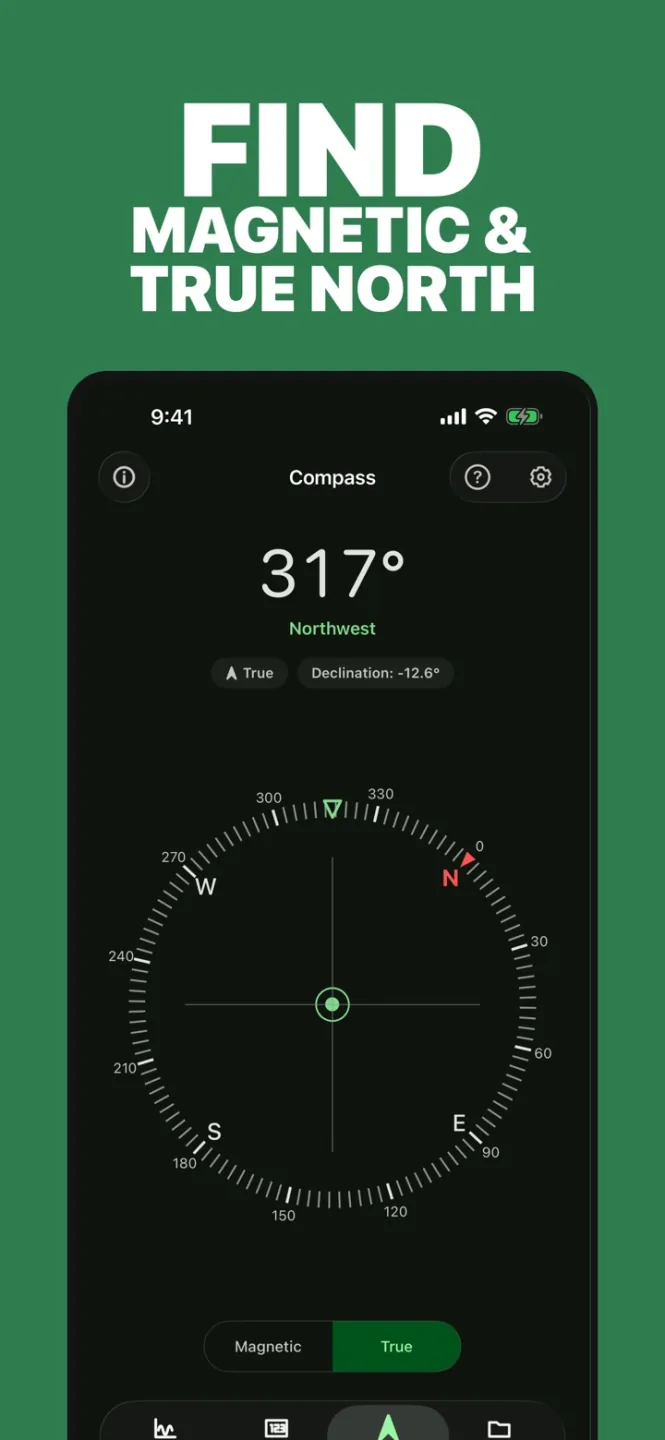
1. 317°: heading in the selected true-north mode
- Account for tilt, calibration and interference when estimating heading.
- [Physics Toolbox Magnetometer](https://apps.apple.com/us/app/physics-toolbox-magnetometer/id1003749103?uo=4)
## How it works
The azimuth of the phone relative to the magnetic landmark is converted into the direction of the sight, the choice of sector or route.
## Variants
### Variants and applications
- Aiming by direction. Action: Rotate the phone; azimuth sets the horizontal angle of the sight. Application: Artillery, search for constellations, audio shooting range around the player. Limitations: A tilt is required for the vertical sight; The accuracy of the compass depends on the environment. Equipment: Phone without external magnet. Preparation: Easy start. Type: Input method.
- Radial menu. Action: Point the phone at one of the corner sectors; sector selects a command. Application: Select a spell, answer, tool without touching the screen. Limitations: Need wide sectors and switching delay at the boundaries. Equipment: Phone without an external magnet. Preparation: Easy start. Type: Input method.
- The world according to the cardinal points. Action: In each direction, open a different layer or area of the world. Application: Four kingdoms, orientation, spatial audio history. Limitations: Content related to azimuth, not real location. Equipment: Phone without external magnet. Preparation: Easy start. Type: Game rule.
- Combining directions. Action: Align azimuth with a given angle within tolerance. Application: Antenna alignment, door lock, beam reflection. Limitations: Add tolerance and explicit confirmation of hit. Equipment: Phone without external magnet. Preparation: Easy start. Type: Game rule.
- Forbidden sector. Action: Consider the phone entering a dangerous sector as an error. Application: Do not look at the monster, do not direct the beam at the guard. Limitations: Use tolerance and reaction time so that the noise does not punish the player. Equipment: Phone without an external magnet. Preparation: Easy start. Type: Game rule.
- 360 degree view. Action: Rotating the phone reveals parts of the panorama and ambient sound. Application: Panoramic quest, searching for objects, musical layers around the player. Limitations: The compass sets the world azimuth; smoothness is usually ensured by a gyroscope. Equipment: Phone without an external magnet. Preparation: Needs setup. Type: Input method.
- Relative zero. Action: Save current direction; subsequent angles are considered relative to it. Application: Controlling the turret from a comfortable position, menu relative to the chair. Limitations: If north is not needed, a gyroscope is often preferable to a magnetometer. Equipment: Telephone without an external magnet. Preparation: Easy start. Type: Input method.
- Return to direction. Action: Show the direction, hide the hint and ask to restore it. Application: Spatial memory training, landmark puzzle. Limitations: Estimate angular error with a tolerance, rather than requiring an exact match. Equipment: Phone without external magnet. Preparation: Easy start. Type: Game rule.
## Context and limits
Author's working classification for designing games and interactions. Options can overlap and combine; the list is not a generally accepted standard or proven exhaustive list. Application examples are conditional unless a specific verifiable observation is indicated nearby. Sources support individual techniques and technical limitations.
## Connected materials
## Sources and provenance
Original editorial design catalog consolidated from project discussions on 2026-10-20. Complete discussion item lists and contextual limitations are preserved; linked primary sources support specific techniques, not the entire classification. English translation was prepared with machine assistance and editorial review.
- [Physics Toolbox Magnetometer](https://apps.apple.com/us/app/physics-toolbox-magnetometer/id1003749103?uo=4) (id: source-603978442e60360e)
CC-BY-4.0 · gamemechanics.pro contributors