---
key: mechanic/phone-haptics--family-accessibility
type: mechanic
id: phone-haptics--family-accessibility
lang: en
title: Accessibility and interaction without looking
summary: >-
Tactile confirmation supports control without looking. Blind Drive relies on
sound and includes haptic effects designed for its mobile version.
updatedAt: '2026-10-22'
status: active
url: >-
https://gamemechanics.pro/en/knowledge/mechanic/phone-haptics--family-accessibility/
jsonUrl: >-
https://gamemechanics.pro/api/v1/knowledge/en/mechanic/phone-haptics--family-accessibility.json
markdownUrl: >-
https://gamemechanics.pro/content/knowledge/en/mechanic/phone-haptics--family-accessibility.md
aliases:
- Accessibility without looking
tags:
- Phone haptics
- Mechanics catalog
sourceIds:
- source-52301c3226d81f2b
sources:
- id: source-52301c3226d81f2b
title: Blind Drive
url: 'https://apps.apple.com/us/app/blind-drive/id964294239?uo=4'
verifiedAt: null
relations: []
placements:
- catalogId: phone-haptics
id: family-accessibility
title: Phone haptics
url: 'https://gamemechanics.pro/en/mechanics/phone-haptics/#family-accessibility'
categoryIds:
- section-1
supersededBy: []
attributes:
preview:
updatedAt: '2026-10-22'
title: Accessibility without looking
description: >-
Tactile confirmation supports control without looking. Blind Drive relies
on sound and includes haptic effects designed for its mobile version.
image:
src: images/mechanics/sensor-blind-drive-3.webp
width: 1440
height: 810
game: Blind Drive
sourceUrl: 'https://apps.apple.com/us/app/blind-drive/id964294239?uo=4'
originalUrl: >-
https://is1-ssl.mzstatic.com/image/thumb/PurpleSource114/v4/49/64/a2/4964a27a-e780-a9da-8191-19c8a4ba92f9/9636f08b-efd0-4ea7-b5e6-2b0cbb80d34c_3.jpg/1440x1080bb.jpg
credit: Giori Politi
rights: >-
© Giori Politi. Developer-distributed App Store screenshot. All rights
reserved; excluded from MIT and CC BY 4.0.
caption: >-
Blind Drive: a limited display, with key threats communicated through
sound
alt: >-
Blind Drive: a limited display, with key threats communicated through
sound
markers:
- x: 49
'y': 58
label: The road situation must be reconstructed through sound
tips:
- Test with the intended users and keep haptic feedback adjustable.
examples:
- title: Blind Drive
url: 'https://apps.apple.com/us/app/blind-drive/id964294239?uo=4'
endsAt: null
provenance: >-
Original editorial design catalog consolidated from project discussions on
2026-10-20. Complete discussion item lists and contextual limitations are
preserved; linked primary sources support specific techniques, not the entire
classification. English translation was prepared with machine assistance and
editorial review.
license: CC-BY-4.0
codeLicense: MIT
attribution: gamemechanics.pro contributors
catalogKey: catalog/phone-haptics
---
# Accessibility and interaction without looking
id: phone-haptics--family-accessibility
type: mechanic
key: mechanic/phone-haptics--family-accessibility
lang: en
status: active
url: https://gamemechanics.pro/en/knowledge/mechanic/phone-haptics--family-accessibility/
Tactile confirmation supports control without looking. Blind Drive relies on sound and includes haptic effects designed for its mobile version.
## At a glance
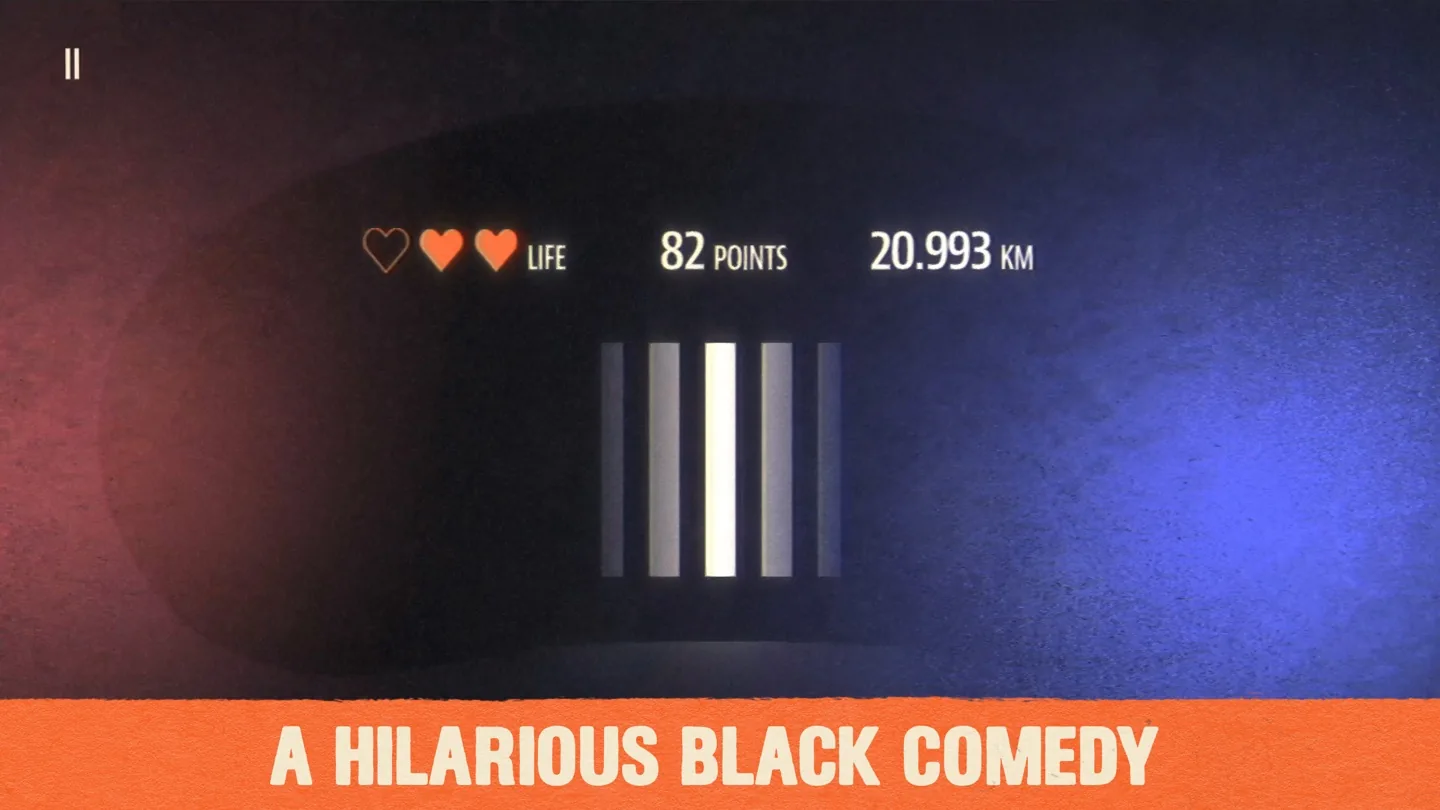
[Blind Drive](https://apps.apple.com/us/app/blind-drive/id964294239?uo=4) · © Giori Politi. Developer-distributed App Store screenshot. All rights reserved; excluded from MIT and CC BY 4.0.
1. The road situation must be reconstructed through sound
- Test with the intended users and keep haptic feedback adjustable.
- [Blind Drive](https://apps.apple.com/us/app/blind-drive/id964294239?uo=4)
## How it works
The signal complements the available interface; suitability is checked with specific users.
## Variants
### Variants and applications
- Duplication of significant sounds. Role: Application. Features: Basic impulses. Input: status. Rule: Events like a timer, hit, or bell get a tactile equivalent. Application: Hearing impaired users, playing without sound. Limitations: Not all sounds are worth encoding; save captions and visual indicators.
- Tactile confirmation with the announcer. Role: Application. Features: Basic impulses. Input: touch. Rule: Impulse confirms focus or action while narrator communicates content. Application: Accessible menus, forms, inventory. Limitations: Do not override system gestures or accessibility tools' own feedback.
- Finding virtual buttons. Role: Application. Features: Basic impulses. Input: drag and drop. Rule: Screen exploration triggers an active region entry signal; the confirming action is performed separately. Application: Large game controls, auxiliary mode. Limitations: A person must understand the name and purpose of the found area by another channel.
- Trained teams without vision. Role: Application. Features: Basic impulses. Input: touch. Rule: A small dictionary of rhythms indicates commands, and the user confirms or cancels the action. Application: Audio game, short navigation, interface without constant glance. Limitations: Provide training and give repetition; do not assume knowledge of the codes in advance.
- Step-by-step tactile route. Role: Application. Features: Basic impulses. Input: geodata. Rule: At suitable points, the application reports the next maneuver and asks for confirmation. Application: Orientation in a game, an accessible route in a controlled environment. Limitations: A real route requires reliable positioning and other orientation channels.
- Loss of control signal. Role: Application. Features: Basic impulses. Input: status. Rule: A specific pattern indicates loss of focus, connection, tracking or capture of an object. Application: Accessible editors, remote control, AR. Limitations: After a failure, provide a clear recovery path, not just vibration.
- Personal calibration. Role: Application. Features: Rich tactility. Input: touch. Rule: The user selects a comfort level and confirms which patterns are discernible; the application adapts the dictionary. Application: Games with important tactile cues. Limitations: This is an interface setting; it does not measure the medical standard of sensitivity.
- Adaptation to grip and context. Role: Application. Features: Basic impulses. Input: setup, sensors. Rule: The user selects a profile for the hand or pocket; repetitions and duration of signals vary. Application: Walking, one-handed use, different cases. Limitations: Auto-detecting context is unreliable without verification; save manual selection.
- Queue of important signals. Role: Application. Features: Basic impulses. Input: status. Rule: When there are several events, the application first transmits the most important one, then the rest with delimiters. Application: Accessible game, navigator, multi-event interface. Limitations: The user cannot be expected to decipher physically superimposed patterns.
- Equivalent alternative mode. Role: Application. Features: Basic impulses. Input: setting. Rule: When vibration is turned off, the same game information is conveyed by sound, text, contrast marks or other input. Application: Accessibility, non-motorized devices, personal preference. Limitations: Keep hint content and fair time windows, not just visual effect.
## Context and limits
Author's systematization: 160 cards in 16 groups. These are mechanics, feedback techniques, applications and experimental extensions, not 160 independent physical effects. Design examples are hypothetical, not statements about the released games that used them.
## Connected materials
## Sources and provenance
Original editorial design catalog consolidated from project discussions on 2026-10-20. Complete discussion item lists and contextual limitations are preserved; linked primary sources support specific techniques, not the entire classification. English translation was prepared with machine assistance and editorial review.
- [Blind Drive](https://apps.apple.com/us/app/blind-drive/id964294239?uo=4) (id: source-52301c3226d81f2b)
CC-BY-4.0 · gamemechanics.pro contributors