---
key: mechanic/phone-flashlight--family-practice
type: mechanic
id: phone-flashlight--family-practice
lang: en
title: 'Creativity, learning and everyday tasks'
summary: >-
Light helps teach and reproduce a code. Morse-It converts text to dots, dashes
and flashes; screen light and the rear LED remain different outputs.
updatedAt: '2026-10-22'
status: active
url: >-
https://gamemechanics.pro/en/knowledge/mechanic/phone-flashlight--family-practice/
jsonUrl: >-
https://gamemechanics.pro/api/v1/knowledge/en/mechanic/phone-flashlight--family-practice.json
markdownUrl: >-
https://gamemechanics.pro/content/knowledge/en/mechanic/phone-flashlight--family-practice.md
aliases: []
tags:
- Phone flashlight interactions
- Mechanics catalog
sourceIds:
- source-47f6341cc0c6a2ab
sources:
- id: source-47f6341cc0c6a2ab
title: Morse-It
url: 'https://apps.apple.com/us/app/morse-it/id284942940?uo=4'
verifiedAt: null
relations: []
placements:
- catalogId: phone-flashlight
id: family-practice
title: Phone flashlight interactions
url: 'https://gamemechanics.pro/en/mechanics/phone-flashlight/#family-practice'
categoryIds:
- section-1
supersededBy: []
attributes:
preview:
updatedAt: '2026-10-22'
title: 'Creativity, learning and everyday tasks'
description: >-
Light helps teach and reproduce a code. Morse-It converts text to dots,
dashes and flashes; screen light and the rear LED remain different
outputs.
image:
src: images/mechanics/flash-morse-encode.webp
width: 720
height: 1280
crop:
x: 0
'y': 50
width: 720
height: 650
game: Morse-It
sourceUrl: 'https://apps.apple.com/us/app/morse-it/id284942940?uo=4'
originalUrl: >-
https://is1-ssl.mzstatic.com/image/thumb/PurpleSource126/v4/e7/81/95/e7819588-ed18-f189-d310-f9fe38042879/f80c3936-c8ce-4640-bd6a-fd6ad5b820d8_5_-_5.5_-_iPhone_8_Plus-1.png/720x1560bb.jpg
credit: Francis Bonnin
rights: >-
© Francis Bonnin. Developer-distributed App Store screenshot. All rights
reserved; excluded from MIT and CC BY 4.0.
caption: 'Morse-It: encoding text as a light-signal sequence'
alt: 'Morse-It: encoding text as a light-signal sequence'
markers:
- x: 50
'y': 22
label: Two dots and a dash represent the current light-code symbol
tips:
- >-
For learning, show symbols and pauses alongside the signal and make
speed adjustable.
examples:
- title: Morse-It
url: 'https://apps.apple.com/us/app/morse-it/id284942940?uo=4'
endsAt: null
provenance: >-
Original editorial design catalog consolidated from project discussions on
2026-10-20. Complete discussion item lists and contextual limitations are
preserved; linked primary sources support specific techniques, not the entire
classification. English translation was prepared with machine assistance and
editorial review.
license: CC-BY-4.0
codeLicense: MIT
attribution: gamemechanics.pro contributors
catalogKey: catalog/phone-flashlight
---
# Creativity, learning and everyday tasks
id: phone-flashlight--family-practice
type: mechanic
key: mechanic/phone-flashlight--family-practice
lang: en
status: active
url: https://gamemechanics.pro/en/knowledge/mechanic/phone-flashlight--family-practice/
Light helps teach and reproduce a code. Morse-It converts text to dots, dashes and flashes; screen light and the rear LED remain different outputs.
## At a glance
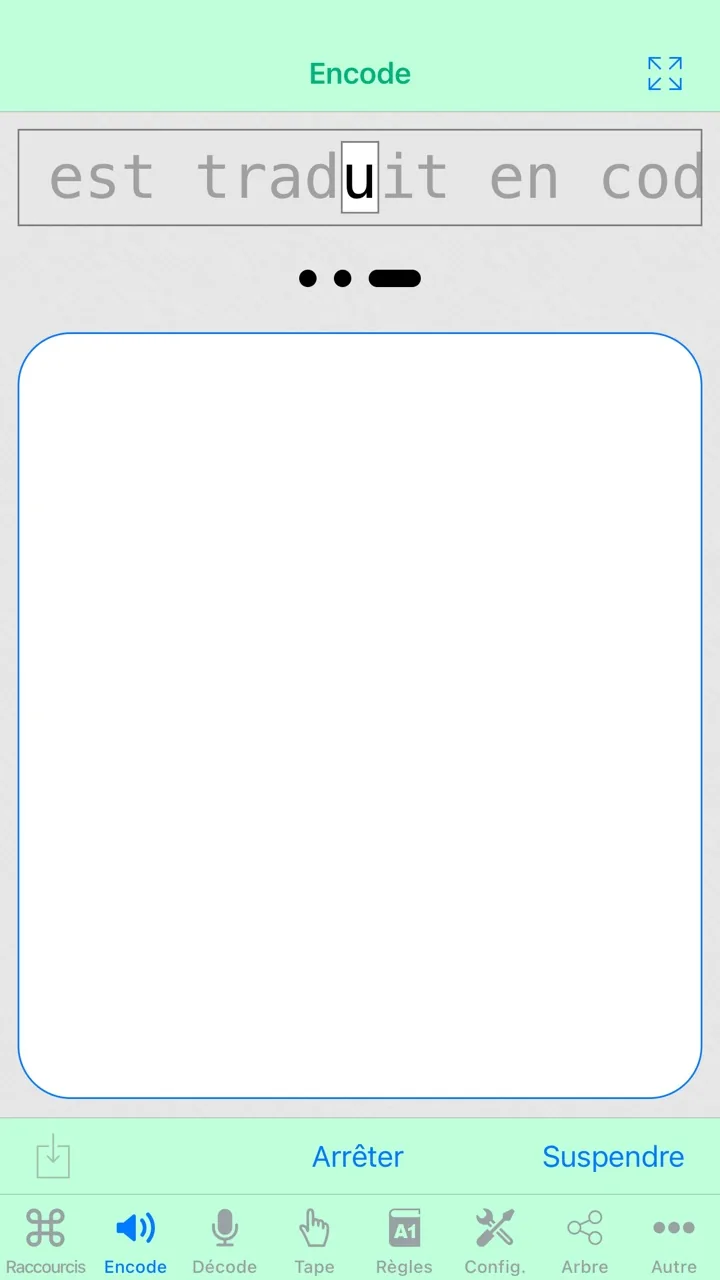
[Morse-It](https://apps.apple.com/us/app/morse-it/id284942940?uo=4) · © Francis Bonnin. Developer-distributed App Store screenshot. All rights reserved; excluded from MIT and CC BY 4.0.
1. Two dots and a dash represent the current light-code symbol
- For learning, show symbols and pauses alongside the signal and make speed adjustable.
- [Morse-It](https://apps.apple.com/us/app/morse-it/id284942940?uo=4)
## How it works
Independent applications and adjacent options with a screen instead of a rear LED.
## Variants
### Variants and applications
- Local lighting. Action: Direct the light onto the work area and select a convenient angle. Application: Find an object, read the markings, inspect an accessible niche. Requirements: Rear LED and control from the application. Conditions: Range, glare and operating time are tested on a specific phone.
- Reading and desk work. Action: Shine light on a page or part while holding the phone in a comfortable position. Application: Reading paper rules, working with a board game, assembling a layout. Requirements: Rear LED and app control; Prepared props or external sensor. Conditions: Requires a stable stand or a free hand; do not block the heat sink.
- Photo and video illumination. Action: Use constant light for shooting instead of a short flash. Application: Product photography, stop motion, video communication with a suitable location. Requirements: Rear LED and control from the application; Camera and proprietary image analysis. Conditions: Constant flashlight and photographic flash are different camera modes.
- Light painting. Action: Move the turned on LED in front of the camera with a long shutter speed. Application: Inscription with light, trajectory drawing, artistic photography. Requirements: Rear LED and control from the application; Camera and proprietary image analysis; Multiple devices/participants; sometimes an observer is enough. Conditions: You need a separate camera or another phone; The own rear camera does not see its LED directly.
- Puppet theater. Action: Use the phone as a stage light for miniatures. Application: Home performance, fairy tale retelling, cut scene prototype. Requirements: Rear LED and app control; Prepared props or external sensor. Conditions: This is a human performance; Recognition of actions by the application is optional.
- Optical experiment. Action: Change one variable: distance, angle, material or obstacle. Application: Show shadow, reflection and relative change in illumination. Requirements: Rear LED and app control; Prepared props or external sensor. Conditions: Quantitative conclusions require a calibrated meter; Do not consider the camera a ready-made light meter.
- Training light simulator. Action: Perform tasks on code, sequence, counting or coordination. Application: Learn Morse code, repeat rhythms, discuss causality. Requirements: Rear LED and control from the application; Software game rule. Conditions: Improvement in game performance does not demonstrate transfer of skill or overall developmental effect.
- Light as a visible indicator. Action: Designate a location or give a pre-agreed signal. Application: Find a participant in a controlled environment, mark a table or prop. Requirements: Rear LED and app control; Multiple devices/participants; sometimes an observer is enough. Conditions: The signal is dependent on visibility and does not replace guaranteed navigation or emergency aid.
- Screen as a color source. Action: Show solid color, change brightness or use a physical mask. Application: Color codes, soft lighting of a small scene, filter puzzle. Requirements: Screen; separate alternative to LED; Prepared props or external sensor. Conditions: This is a separate light source with a different geometry and power; the rear LED color does not change.
- The screen is like a virtual flashlight. Action: Open part of the screen scene with your finger, tilt or camera. Application: Search for something hidden in the image, simulator, accessible replacement for real light. Requirements: Screen; separate alternative to LED; Software game rule. Conditions: The screen spot is a graphic; it does not illuminate the real object with a narrow beam.
## Context and limits
Author's working classification for designing games and interactions. Options can overlap and combine; the list is not a generally accepted standard or proven exhaustive list. Application examples are conditional unless a specific verifiable observation is indicated nearby. Sources support individual techniques and technical limitations.
## Connected materials
## Sources and provenance
Original editorial design catalog consolidated from project discussions on 2026-10-20. Complete discussion item lists and contextual limitations are preserved; linked primary sources support specific techniques, not the entire classification. English translation was prepared with machine assistance and editorial review.
- [Morse-It](https://apps.apple.com/us/app/morse-it/id284942940?uo=4) (id: source-47f6341cc0c6a2ab)
CC-BY-4.0 · gamemechanics.pro contributors