---
key: mechanic/mouse--family-wheel
type: mechanic
id: mouse--family-wheel
lang: en
title: Wheel and scrolling
summary: >-
The wheel scrolls or changes a parameter. In Preview scrolling moves the
visible document region and helps navigate a long PDF.
updatedAt: '2026-10-22'
status: active
url: 'https://gamemechanics.pro/en/knowledge/mechanic/mouse--family-wheel/'
jsonUrl: >-
https://gamemechanics.pro/api/v1/knowledge/en/mechanic/mouse--family-wheel.json
markdownUrl: 'https://gamemechanics.pro/content/knowledge/en/mechanic/mouse--family-wheel.md'
aliases: []
tags:
- Mouse interactions
- Input and gestures
sourceIds:
- source-2aa43929eb995c4c
sources:
- id: source-2aa43929eb995c4c
title: Preview (macOS)
url: >-
https://support.apple.com/guide/preview/view-pdfs-and-images-prvw11470/11.0/mac/26
verifiedAt: null
relations: []
placements:
- catalogId: mouse
id: family-wheel
title: Mouse interactions
url: 'https://gamemechanics.pro/en/mechanics/mouse/#family-wheel'
categoryIds:
- section-1
supersededBy: []
attributes:
preview:
updatedAt: '2026-10-22'
title: Wheel and scrolling
description: >-
The wheel scrolls or changes a parameter. In Preview scrolling moves the
visible document region and helps navigate a long PDF.
image:
src: images/mechanics/control-macos-preview.webp
width: 788
height: 750
game: Preview (macOS)
sourceUrl: >-
https://support.apple.com/guide/preview/view-pdfs-and-images-prvw11470/11.0/mac/26
originalUrl: >-
https://help.apple.com/assets/67DB77BFAE89A3DDC700A869/67DB77C0E2208881620C3D38/en_US/918f957676bf215f21f57328147e8435.png
credit: Apple
rights: >-
© Apple. Official support screenshot; all rights reserved. Excluded from
MIT and CC BY 4.0.
caption: 'Preview: a document page and a scrollable thumbnail sidebar'
alt: 'Preview: a document page and a scrollable thumbnail sidebar'
markers:
- x: 13
'y': 67
label: Thumbnails relate scrolling to the position in the document
tips:
- Bound the zoom range and check wheel and trackpad sensitivity.
examples:
- title: Preview (macOS)
url: >-
https://support.apple.com/guide/preview/view-pdfs-and-images-prvw11470/11.0/mac/26
endsAt: null
provenance: >-
Original editorial design catalog consolidated from project discussions on
2026-10-20. Complete discussion item lists and contextual limitations are
preserved; linked primary sources support specific techniques, not the entire
classification. English translation was prepared with machine assistance and
editorial review.
license: CC-BY-4.0
codeLicense: MIT
attribution: gamemechanics.pro contributors
catalogKey: catalog/mouse
---
# Wheel and scrolling
id: mouse--family-wheel
type: mechanic
key: mechanic/mouse--family-wheel
lang: en
status: active
url: https://gamemechanics.pro/en/knowledge/mechanic/mouse--family-wheel/
The wheel scrolls or changes a parameter. In Preview scrolling moves the visible document region and helps navigate a long PDF.
## At a glance
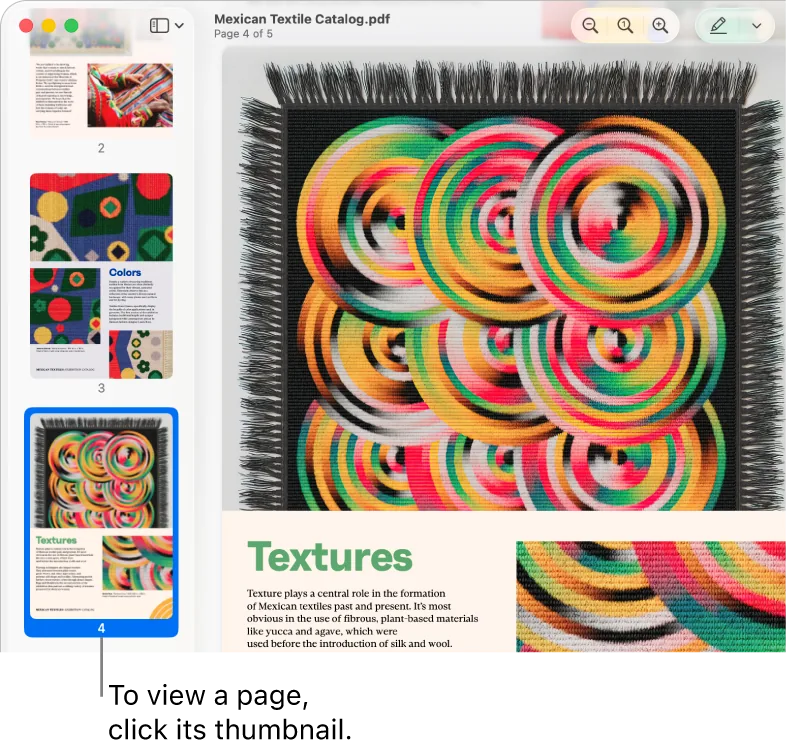
[Preview (macOS)](https://support.apple.com/guide/preview/view-pdfs-and-images-prvw11470/11.0/mac/26) · © Apple. Official support screenshot; all rights reserved. Excluded from MIT and CC BY 4.0.
1. Thumbnails relate scrolling to the position in the document
- Bound the zoom range and check wheel and trackpad sensitivity.
- [Preview (macOS)](https://support.apple.com/guide/preview/view-pdfs-and-images-prvw11470/11.0/mac/26)
## How it works
The direction and amount of scrolling are used as steps, an axis, or a continuous controller.
## Variants
### Variants and applications
- Vertical scrolling. Action: Rotate the wheel forward and backward. Application: Read a list, move a magazine, view inventory. Conditions: Direction and magnitude depend on settings and device.
- Horizontal scrolling. Action: Provide horizontal scrolling or its available equivalent. Application: Timeline, wide map, table, item feed. Conditions: Not every mouse has a tilt wheel and a horizontal sensor.
- Step by step search. Action: Each accumulated scroll step selects an adjacent option. Application: Weapon, tool, slot, floor, catalog page. Conditions: Do not count any event as one physical click of the wheel.
- Scaling to pointer. Action: Spin the wheel; the point below the pointer remains the scale reference. Application: Map, diagram, 3D scene, level editor. Conditions: Limit the scale and maintain user orientation.
- Adjusting the value. Action: Use the wheel to increase or decrease the parameter. Application: Brush size, volume, quantity, playback speed. Conditions: Do not change the value accidentally when scrolling the page normally.
- Rotating an object with a wheel. Action: Use the wheel to change the angle of the selected object. Application: Rotate a building, puzzle piece, object before installation. Conditions: Show the angle and step of rotation.
- Rewind time. Action: Scroll to move a position along the timeline. Application: Editing, replaying a battle, viewing animation, managing time in a puzzle. Conditions: Separate rewinding a position and changing the playback speed.
- Depth control. Action: Scroll to zoom in or out of the captured object. Application: 3D location, capture distance, layer depth. Conditions: The input remains one axis, the depth is assigned by the program.
- Rewinding and tension. Action: Rotate the wheel to feed or select length. Application: Fishing, winch, cable, manual mechanism. Conditions: Set the effect through the input value, not through the frequency of events.
- Middle button dragging. Action: Hold the middle button and move the mouse. Application: Pan the canvas or map, move the view. Conditions: This is a wheel button press, separate from the wheel rotation.
- Autoscroll by deviation. Action: Enable mode; the distance of the pointer from the reference point sets the speed. Application: Viewing a long document, panorama of a large map. Conditions: A neutral zone and an obvious exit are needed; Platform support varies.
- Wheel with modifier. Action: Hold down a key or mouse button while scrolling. Application: Fine tuning, second axis, other parameter, changing zoom mode. Conditions: Shortcuts may be occupied by the browser or OS.
## Context and limits
Author's working classification for designing games and interactions. Options can overlap and combine; the list is not a generally accepted standard or proven exhaustive list. Application examples are conditional unless a specific verifiable observation is indicated nearby. Sources support individual techniques and technical limitations.
## Connected materials
## Sources and provenance
Original editorial design catalog consolidated from project discussions on 2026-10-20. Complete discussion item lists and contextual limitations are preserved; linked primary sources support specific techniques, not the entire classification. English translation was prepared with machine assistance and editorial review.
- [Preview (macOS)](https://support.apple.com/guide/preview/view-pdfs-and-images-prvw11470/11.0/mac/26) (id: source-2aa43929eb995c4c)
CC-BY-4.0 · gamemechanics.pro contributors