---
key: mechanic/mouse--family-transform
type: mechanic
id: mouse--family-transform
lang: en
title: Parameters and geometry
summary: >-
Pointer displacement becomes an angle, size or another value. In The Room
movement sets the position of a combination mechanism’s parts.
updatedAt: '2026-10-22'
status: active
url: 'https://gamemechanics.pro/en/knowledge/mechanic/mouse--family-transform/'
jsonUrl: >-
https://gamemechanics.pro/api/v1/knowledge/en/mechanic/mouse--family-transform.json
markdownUrl: >-
https://gamemechanics.pro/content/knowledge/en/mechanic/mouse--family-transform.md
aliases: []
tags:
- Mouse interactions
- Applied Mechanics
sourceIds:
- source-171c7a860d38dba8
sources:
- id: source-171c7a860d38dba8
title: The Room
url: 'https://store.steampowered.com/app/288160/'
verifiedAt: null
relations: []
placements:
- catalogId: mouse
id: family-transform
title: Mouse interactions
url: 'https://gamemechanics.pro/en/mechanics/mouse/#family-transform'
categoryIds:
- section-2
supersededBy: []
attributes:
preview:
updatedAt: '2026-10-22'
title: Parameters and geometry
description: >-
Pointer displacement becomes an angle, size or another value. In The Room
movement sets the position of a combination mechanism’s parts.
image:
src: images/mechanics/adventure-the-room-03.webp
width: 1440
height: 867
game: The Room
sourceUrl: 'https://store.steampowered.com/app/288160/'
originalUrl: >-
https://shared.akamai.steamstatic.com/store_item_assets/steam/apps/288160/ss_6a558d5b9cc41f74c8985e0dbd5935f3ef0a36ca.1920x1080.jpg?t=1646758287
credit: Fireproof Games
rights: >-
Game imagery © its respective rights holders. Publisher-distributed
Steam screenshot; all rights reserved. Excluded from MIT and CC BY 4.0.
caption: Rings and symbols in a combination mechanism
alt: Rings and symbols in a combination mechanism
markers:
- x: 51
'y': 57
label: Rotating parts change the configuration
tips:
- Map motion to a clear axis and preserve the grab point.
examples:
- title: The Room
url: 'https://store.steampowered.com/app/288160/'
endsAt: null
provenance: >-
Original editorial design catalog consolidated from project discussions on
2026-10-20. Complete discussion item lists and contextual limitations are
preserved; linked primary sources support specific techniques, not the entire
classification. English translation was prepared with machine assistance and
editorial review.
license: CC-BY-4.0
codeLicense: MIT
attribution: gamemechanics.pro contributors
catalogKey: catalog/mouse
---
# Parameters and geometry
id: mouse--family-transform
type: mechanic
key: mechanic/mouse--family-transform
lang: en
status: active
url: https://gamemechanics.pro/en/knowledge/mechanic/mouse--family-transform/
Pointer displacement becomes an angle, size or another value. In The Room movement sets the position of a combination mechanism’s parts.
## At a glance
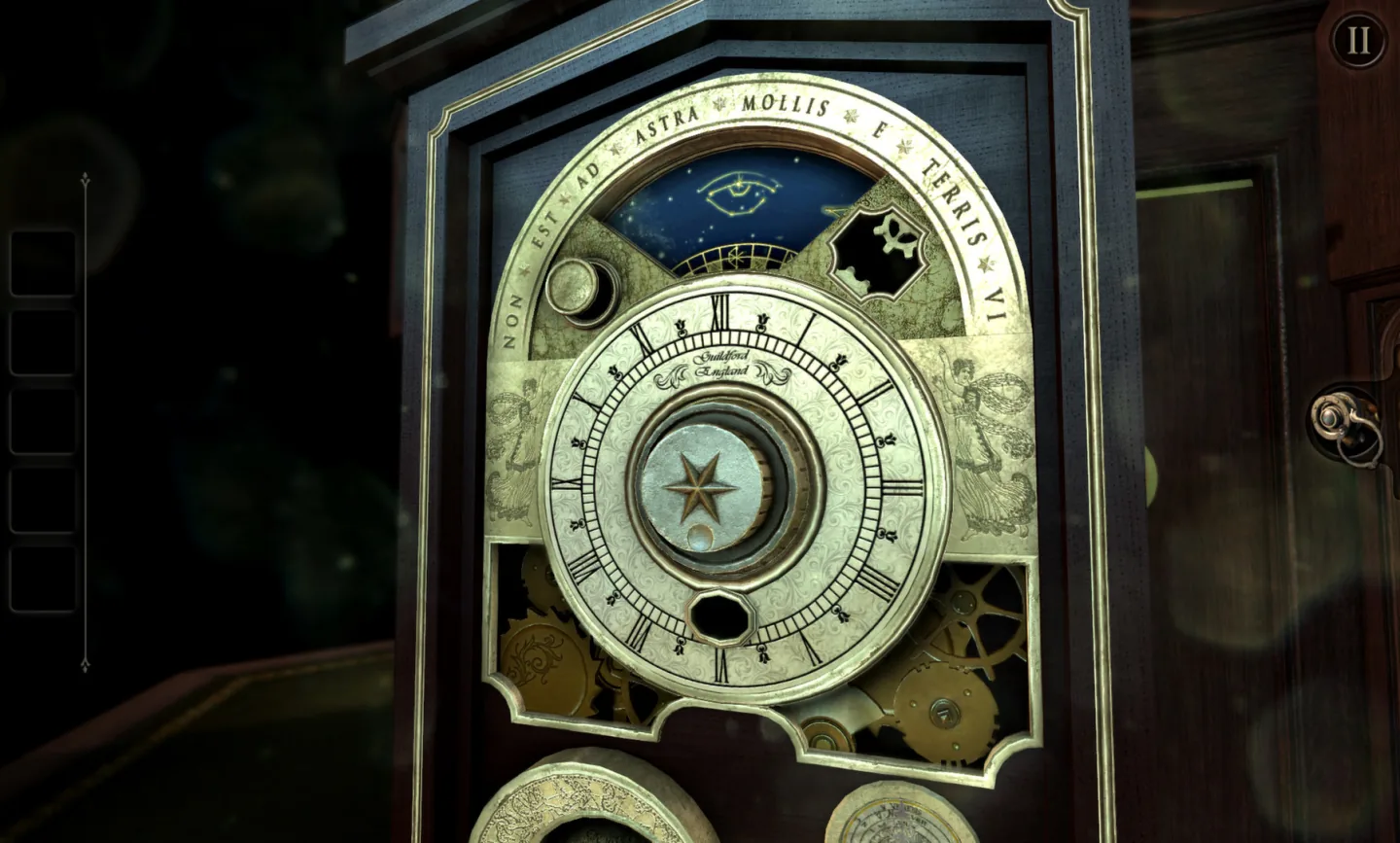
[The Room](https://store.steampowered.com/app/288160/) · Game imagery © its respective rights holders. Publisher-distributed Steam screenshot; all rights reserved. Excluded from MIT and CC BY 4.0.
1. Rotating parts change the configuration
- Map motion to a clear axis and preserve the grab point.
- [The Room](https://store.steampowered.com/app/288160/)
## How it works
Mouse movement is translated into a numerical value, size, angle, coordinate or shape.
## Variants
### Variants and applications
- Linear slider. Action: Drag the slider along the scale. Application: Volume, power, price, length, time position. Conditions: Click on the scale and enter exact input, if appropriate.
- Numerical scrubbing. Action: Drag a numeric field or label along an axis. Application: Quickly change the coordinate, quantity, size of a parameter. Conditions: Indicate the possibility of dragging; keep the normal number input.
- Rotation handle. Action: Move the pointer around the center or drag along the selected axis. Application: Device regulator, synthesizer, valve, instrument angle. Conditions: Do not allow a jump at the corner transition through a full turn.
- Two-dimensional controller. Action: Move a point inside the plane. Application: Color selection, two sound parameters, tactical aiming. Conditions: Label both axes and their ranges.
- Resize by edge. Action: Pull the border or corner marker. Application: Windows, panels, forms, impact area. Conditions: Provide a minimum size and sufficient grip area.
- Scaling while maintaining proportions. Action: Drag a handle with an aspect ratio constraint. Application: Images, models, layout elements. Conditions: Explicitly show the constraint state and anchor point.
- Rotation around a support. Action: Drag the rotation handle around a given point. Application: Rotate a model, part, room, camera. Conditions: Support and possible snaps at corners must be visible.
- Moving along an axis or plane. Action: Drag the corresponding part of the 3D manipulator. Application: Setting up objects, setting up a scene, designing. Conditions: Show the active axis and coordinate system.
- Deformation by control points. Action: Drag vertices, nodes or handles of a curve. Application: Shape editor, route, sculpting, flexible puzzle. Conditions: Restrict self-intersections if they are not allowed.
- Range with two boundaries. Action: Move start and end markers. Application: Clip trim, price range, attack interval, work area. Conditions: Define boundary crossing behavior.
- Direction and length of pulling. Action: The starting point serves as a support; the vector to the cursor sets the parameters. Application: Force and angle of impact, velocity vector, direction of construction. Conditions: Display vector and length limitation.
- Rotate the virtual trackball. Action: Move the pointer along the surface of a conditional sphere. Application: Inspection of a 3D model, rotation of a planet or a complex object. Conditions: This is a mathematical model of rotation, an ordinary mouse is enough.
## Context and limits
Author's working classification for designing games and interactions. Options can overlap and combine; the list is not a generally accepted standard or proven exhaustive list. Application examples are conditional unless a specific verifiable observation is indicated nearby. Sources support individual techniques and technical limitations.
## Connected materials
## Sources and provenance
Original editorial design catalog consolidated from project discussions on 2026-10-20. Complete discussion item lists and contextual limitations are preserved; linked primary sources support specific techniques, not the entire classification. English translation was prepared with machine assistance and editorial review.
- [The Room](https://store.steampowered.com/app/288160/) (id: source-171c7a860d38dba8)
CC-BY-4.0 · gamemechanics.pro contributors