---
key: mechanic/mouse--family-select
type: mechanic
id: mouse--family-select
lang: en
title: 'Selection, addressing and commands'
summary: >-
The cursor identifies the object an action applies to. A game may check one
target, a group or a sequence.
updatedAt: '2026-10-22'
status: active
url: 'https://gamemechanics.pro/en/knowledge/mechanic/mouse--family-select/'
jsonUrl: >-
https://gamemechanics.pro/api/v1/knowledge/en/mechanic/mouse--family-select.json
markdownUrl: >-
https://gamemechanics.pro/content/knowledge/en/mechanic/mouse--family-select.md
aliases:
- Pointing and target selection
tags:
- Mouse interactions
- Applied Mechanics
sourceIds:
- source-2d319d48a3e49f54
sources:
- id: source-2d319d48a3e49f54
title: Human Benchmark
url: 'https://humanbenchmark.com/tests/chimp'
verifiedAt: null
relations: []
placements:
- catalogId: mouse
id: family-select
title: Mouse interactions
url: 'https://gamemechanics.pro/en/mechanics/mouse/#family-select'
categoryIds:
- section-2
supersededBy: []
attributes:
preview:
updatedAt: '2026-10-22'
title: Pointing and target selection
description: >-
The cursor identifies the object an action applies to. A game may check
one target, a group or a sequence.
image:
src: images/mechanics/learning-human-benchmark-chimp.webp
width: 1280
height: 588
game: Human Benchmark
sourceUrl: 'https://humanbenchmark.com/tests/chimp'
originalUrl: 'https://humanbenchmark.com/tests/chimp'
credit: 'Human Benchmark; public test capture, 2026-10-22'
rights: >-
© Human Benchmark. Actual unsigned test session captured 2026-10-22.
Cropped to the application header and task area; advertising outside the
task omitted. All rights reserved; excluded from MIT and CC BY 4.0.
caption: 'Human Benchmark: five numbers before concealment on the first click'
alt: 'Human Benchmark: five numbers before concealment on the first click'
markers:
- x: 75
'y': 24
label: Memorize positions before the numbers are hidden
tips:
- Show the selected target before an irreversible command.
examples:
- title: Human Benchmark
url: 'https://humanbenchmark.com/tests/chimp'
endsAt: null
provenance: >-
Original editorial design catalog consolidated from project discussions on
2026-10-20. Complete discussion item lists and contextual limitations are
preserved; linked primary sources support specific techniques, not the entire
classification. English translation was prepared with machine assistance and
editorial review.
license: CC-BY-4.0
codeLicense: MIT
attribution: gamemechanics.pro contributors
catalogKey: catalog/mouse
---
# Selection, addressing and commands
id: mouse--family-select
type: mechanic
key: mechanic/mouse--family-select
lang: en
status: active
url: https://gamemechanics.pro/en/knowledge/mechanic/mouse--family-select/
The cursor identifies the object an action applies to. A game may check one target, a group or a sequence.
## At a glance
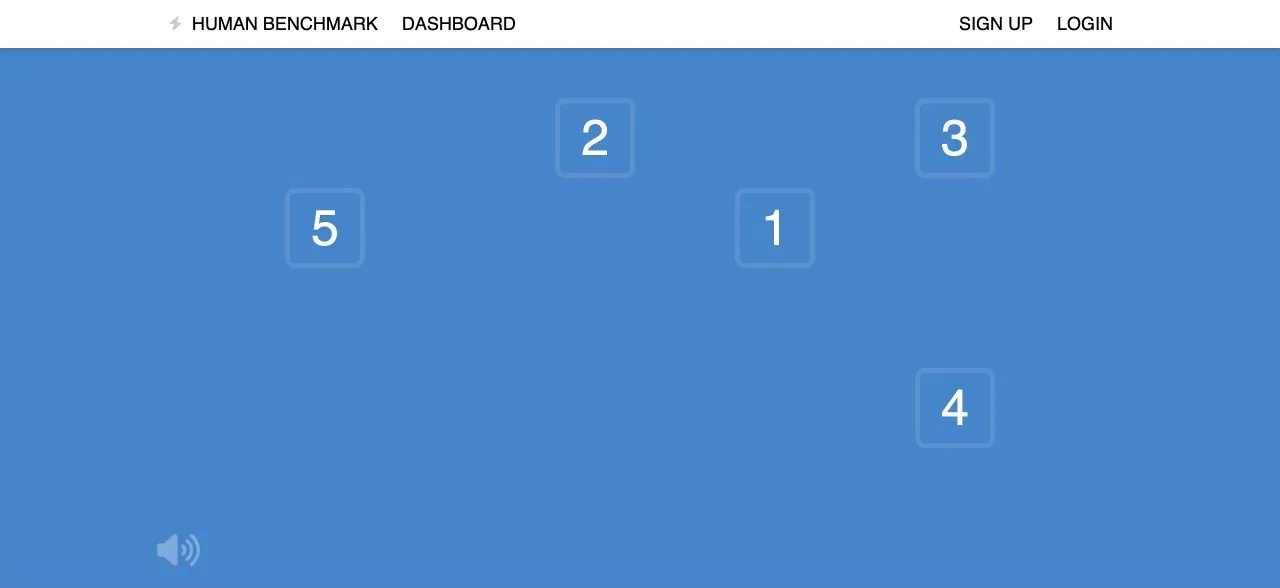
[Human Benchmark](https://humanbenchmark.com/tests/chimp) · © Human Benchmark. Actual unsigned test session captured 2026-10-22. Cropped to the application header and task area; advertising outside the task omitted. All rights reserved; excluded from MIT and CC BY 4.0.
1. Memorize positions before the numbers are hidden
- Show the selected target before an irreversible command.
- [Human Benchmark](https://humanbenchmark.com/tests/chimp)
## How it works
The position of the cursor and the sequence of targets determine who or what the action is applied to.
## Variants
### Variants and applications
- Point selection. Action: Click on a specific object or its representation. Application: Select a unit, card, graph node, model part. Conditions: For overlapping objects, you need a way to select the hidden one.
- Select by switching accessory. Action: Add an object to the set or remove it from it using a modified click. Application: Non-adjacent selection of files, units, vertices, cards. Conditions: Show the entire current set, not just the last object.
- Range selection. Action: Select start, then end with modifier. Application: Table rows, text range, sequential clips. Conditions: The order and reference element of the range must be defined.
- Rectangular selection. Action: Extend a frame from one corner to another. Application: Group of units, objects on canvas, image area. Conditions: Explain whether intersection is enough or complete inclusion is required.
- Lasso selection. Action: Draw an arbitrary area with a closed line. Application: Uneven group of objects, fragment of illustration, tactical zone. Conditions: Show closure and rules for entering the area.
- Brush selection. Action: Drag the pointer over objects while holding. Usage: Color a selection set, select many small items. Conditions: One pass should not switch the same object multiple times.
- General selection. Action: Give a command over the sample. Application: All units of the type, connected polygons, area of similar color. Conditions: Specify the search area: screen, document or the whole world.
- Enumeration of overlapping targets. Action: Use a repeated command or wheel to change the target under the cursor. Application: Dense cards, stacks of cards, objects behind the foreground. Conditions: Show the current candidate until confirmation.
- First the object, then the action. Action: Select an object and call the appropriate command. Application: Inventory, editor, unit management. Conditions: The selection must be maintained long enough for the command to complete.
- First the action, then the goal. Action: Select a tool or ability, then click the target. Application: Heal, build, apply an effect, fill an area. Conditions: Show valid targets, cost and cancel method.
- Source → destination. Action: Click the source, then the destination. Application: Transfer an item, connect nodes, specify an exchange, assign a route. Conditions: This is also an alternative to dragging without holding the button.
- Context command. Action: Click the target; the action is determined by the target type and the current state. Application: Walk on the ground, attack the enemy, collect a resource, talk. Conditions: Command preview reduces the risk of incorrect context.
## Context and limits
Author's working classification for designing games and interactions. Options can overlap and combine; the list is not a generally accepted standard or proven exhaustive list. Application examples are conditional unless a specific verifiable observation is indicated nearby. Sources support individual techniques and technical limitations.
## Connected materials
## Sources and provenance
Original editorial design catalog consolidated from project discussions on 2026-10-20. Complete discussion item lists and contextual limitations are preserved; linked primary sources support specific techniques, not the entire classification. English translation was prepared with machine assistance and editorial review.
- [Human Benchmark](https://humanbenchmark.com/tests/chimp) (id: source-2d319d48a3e49f54)
CC-BY-4.0 · gamemechanics.pro contributors