---
key: mechanic/mouse--family-physical
type: mechanic
id: mouse--family-physical
lang: en
title: Physical objects and tools
summary: >-
Mouse movement represents a hand or tool. In The Room the player directly
moves and turns an object’s parts.
updatedAt: '2026-10-22'
status: active
url: 'https://gamemechanics.pro/en/knowledge/mechanic/mouse--family-physical/'
jsonUrl: >-
https://gamemechanics.pro/api/v1/knowledge/en/mechanic/mouse--family-physical.json
markdownUrl: >-
https://gamemechanics.pro/content/knowledge/en/mechanic/mouse--family-physical.md
aliases: []
tags:
- Mouse interactions
- Applied Mechanics
sourceIds:
- source-171c7a860d38dba8
sources:
- id: source-171c7a860d38dba8
title: The Room
url: 'https://store.steampowered.com/app/288160/'
verifiedAt: null
relations: []
placements:
- catalogId: mouse
id: family-physical
title: Mouse interactions
url: 'https://gamemechanics.pro/en/mechanics/mouse/#family-physical'
categoryIds:
- section-2
supersededBy: []
attributes:
preview:
updatedAt: '2026-10-22'
title: Physical objects and tools
description: >-
Mouse movement represents a hand or tool. In The Room the player directly
moves and turns an object’s parts.
image:
src: images/mechanics/adventure-the-room-01.webp
width: 1440
height: 867
game: The Room
sourceUrl: 'https://store.steampowered.com/app/288160/'
originalUrl: >-
https://shared.akamai.steamstatic.com/store_item_assets/steam/apps/288160/ss_3d7f2102dad1c45593170232d6bb2470bb265680.1920x1080.jpg?t=1646758287
credit: Fireproof Games
rights: >-
Game imagery © its respective rights holders. Publisher-distributed
Steam screenshot; all rights reserved. Excluded from MIT and CC BY 4.0.
caption: Buttons and a rotating box panel
alt: Buttons and a rotating box panel
markers:
- x: 52
'y': 47
label: A control on the object’s surface
tips:
- Match gesture direction to the visible motion of the object.
examples:
- title: The Room
url: 'https://store.steampowered.com/app/288160/'
endsAt: null
provenance: >-
Original editorial design catalog consolidated from project discussions on
2026-10-20. Complete discussion item lists and contextual limitations are
preserved; linked primary sources support specific techniques, not the entire
classification. English translation was prepared with machine assistance and
editorial review.
license: CC-BY-4.0
codeLicense: MIT
attribution: gamemechanics.pro contributors
catalogKey: catalog/mouse
---
# Physical objects and tools
id: mouse--family-physical
type: mechanic
key: mechanic/mouse--family-physical
lang: en
status: active
url: https://gamemechanics.pro/en/knowledge/mechanic/mouse--family-physical/
Mouse movement represents a hand or tool. In The Room the player directly moves and turns an object’s parts.
## At a glance
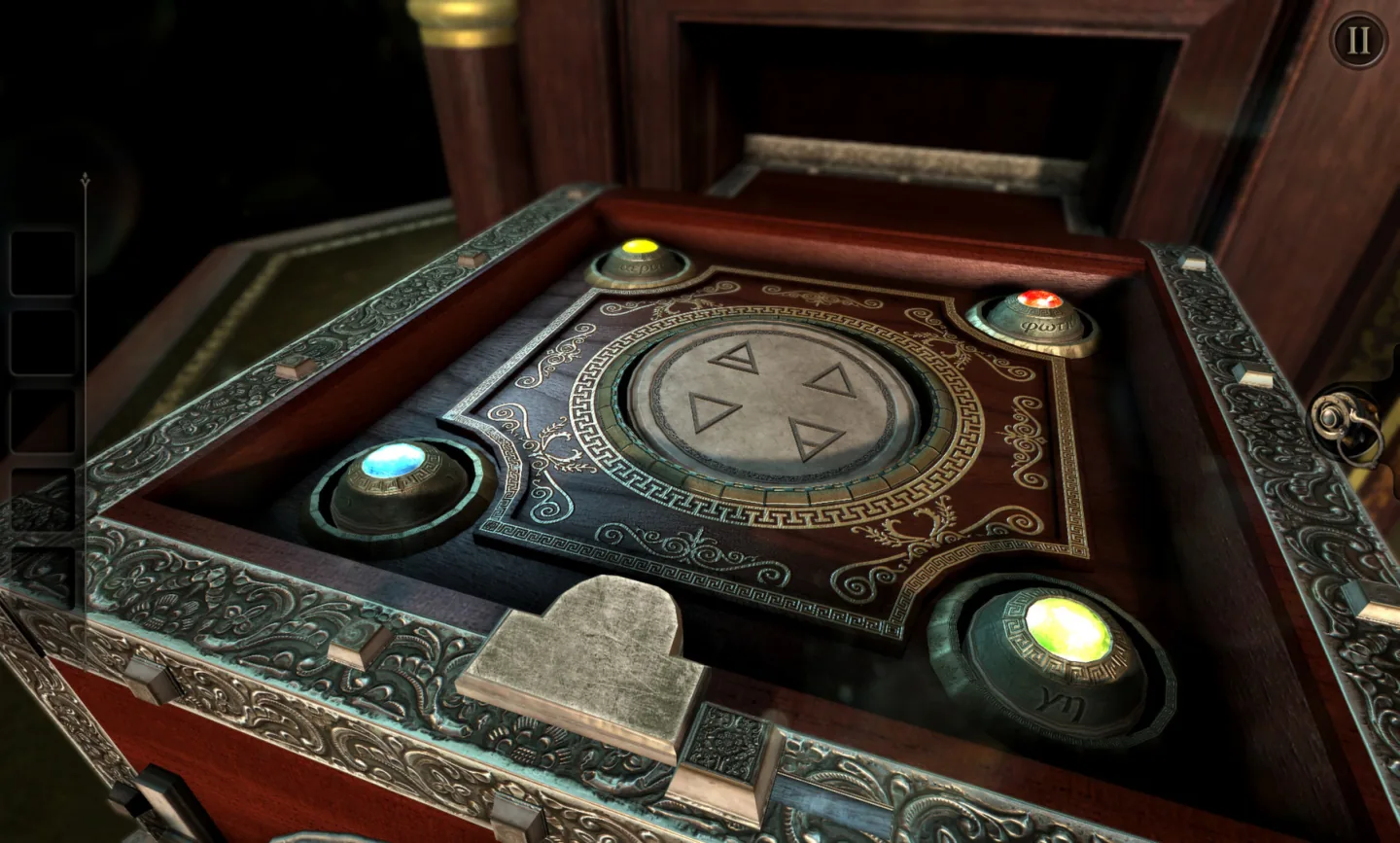
[The Room](https://store.steampowered.com/app/288160/) · Game imagery © its respective rights holders. Publisher-distributed Steam screenshot; all rights reserved. Excluded from MIT and CC BY 4.0.
1. A control on the object’s surface
- Match gesture direction to the visible motion of the object.
- [The Room](https://store.steampowered.com/app/288160/)
## How it works
Pointer movements are interpreted as the operation of a virtual hand, mechanism, or tool.
## Variants
### Variants and applications
- Capture via physical connection. Action: Hold an object with a virtual spring or constraint and move the mouse. Application: Sandbox, carrying fragile objects, manipulating levers. Conditions: Directly teleporting an object and physically grabbing it give different behavior.
- Shift and push. Action: Move the pointer-tool into an object, taking into account the collision. Application: Billiard puzzle, cleaning, moving objects on the table. Conditions: The force is determined by the virtual model, a regular mouse does not measure it.
- Door, drawer or lever. Action: Grab the handle and pull along the allowed movement. Application: Exploration of the room, control cabin, object puzzle. Conditions: Limit the movement to an axis or hinge and show the available movement.
- Screw, valve or handle. Action: Rotate the pointer around a support or perform repeatable arcs. Application: Repair, valve opening, mechanical lock, manual lift. Conditions: Show direction, resistance and completion of operation.
- Pulling a flexible object. Action: Move the grip by changing the length or tension of the connection. Application: Cable, elastic band, string, tug. Conditions: Tension is calculated by the model, not read from the user's hand.
- Pouring by tilt. Action: Move the mouse to change the virtual angle of the vessel. Application: Cooking, chemical task, liquid dosing. Conditions: A regular mouse controls the angle programmatically, without a body tilt sensor.
- Flow dosing. Action: Hold the button or move the dial to supply the substance. Application: Glue, paint, water, fuel, ingredients. Conditions: Show the feed rate, stock and total quantity.
- Friction and cleaning. Action: Repeated passes of the tool to influence the surface. Application: Washing, polishing, archeology, image development. Conditions: Relate the result to the treated area and the selected tool.
- Work on the material. Action: Guide a cutting, drilling or heating tool along a workpiece. Application: Crafting, welding, cutting, woodworking. Conditions: Path shape, speed and contact time can be assessed independently.
- Installation and joining of parts. Action: Transfer, rotate and align the part with the seat. Application: Device assembly, repair, designer, spatial puzzle. Conditions: Show tolerance, orientation and final fixation conditions.
- Balancing an item. Action: Move a support or applied force with the mouse. Application: Tray, wobbly structure, carrying a load, balancing platform. Conditions: The player needs a readable connection between movement and change in balance.
- Simultaneous operation of two instruments. Action: Hold the tool with one button, perform the second step with the other. Application: Tweezers and cutter, clamping and soldering, holding and processing the part. Conditions: One pointer does not provide two independent positions; the second tool requires a separate control model.
## Context and limits
Author's working classification for designing games and interactions. Options can overlap and combine; the list is not a generally accepted standard or proven exhaustive list. Application examples are conditional unless a specific verifiable observation is indicated nearby. Sources support individual techniques and technical limitations.
## Connected materials
## Sources and provenance
Original editorial design catalog consolidated from project discussions on 2026-10-20. Complete discussion item lists and contextual limitations are preserved; linked primary sources support specific techniques, not the entire classification. English translation was prepared with machine assistance and editorial review.
- [The Room](https://store.steampowered.com/app/288160/) (id: source-171c7a860d38dba8)
CC-BY-4.0 · gamemechanics.pro contributors