---
key: mechanic/mouse--family-movement
type: mechanic
id: mouse--family-movement
lang: en
title: Moving and Camera
summary: >-
The pointer selects a destination or moves the camera. In Machinarium clicking
an accessible part of the scene directs the character there.
updatedAt: '2026-10-22'
status: active
url: 'https://gamemechanics.pro/en/knowledge/mechanic/mouse--family-movement/'
jsonUrl: >-
https://gamemechanics.pro/api/v1/knowledge/en/mechanic/mouse--family-movement.json
markdownUrl: >-
https://gamemechanics.pro/content/knowledge/en/mechanic/mouse--family-movement.md
aliases: []
tags:
- Mouse interactions
- Applied Mechanics
sourceIds:
- source-af91ee5473ad0808
sources:
- id: source-af91ee5473ad0808
title: Machinarium
url: 'https://store.steampowered.com/app/40700/'
verifiedAt: null
relations: []
placements:
- catalogId: mouse
id: family-movement
title: Mouse interactions
url: 'https://gamemechanics.pro/en/mechanics/mouse/#family-movement'
categoryIds:
- section-2
supersededBy: []
attributes:
preview:
updatedAt: '2026-10-22'
title: Moving and Camera
description: >-
The pointer selects a destination or moves the camera. In Machinarium
clicking an accessible part of the scene directs the character there.
image:
src: images/mechanics/adventure-machinarium-02.webp
width: 1440
height: 810
game: Machinarium
sourceUrl: 'https://store.steampowered.com/app/40700/'
originalUrl: >-
https://shared.akamai.steamstatic.com/store_item_assets/steam/apps/40700/80f825bcb9c71fcfef60ab6847b545b7b4928a21/ss_80f825bcb9c71fcfef60ab6847b545b7b4928a21.1920x1080.jpg?t=1791501193
credit: Amanita Design
rights: >-
Game imagery © its respective rights holders. Publisher-distributed
Steam screenshot; all rights reserved. Excluded from MIT and CC BY 4.0.
caption: A bridge and closed passages in Machinarium
alt: A bridge and closed passages in Machinarium
markers:
- x: 47
'y': 75
label: A bridge connects scene areas
- x: 58
'y': 48
label: A gate limits access
tips:
- Show reachable destinations and explain blocked paths.
examples:
- title: Machinarium
url: 'https://store.steampowered.com/app/40700/'
endsAt: null
provenance: >-
Original editorial design catalog consolidated from project discussions on
2026-10-20. Complete discussion item lists and contextual limitations are
preserved; linked primary sources support specific techniques, not the entire
classification. English translation was prepared with machine assistance and
editorial review.
license: CC-BY-4.0
codeLicense: MIT
attribution: gamemechanics.pro contributors
catalogKey: catalog/mouse
---
# Moving and Camera
id: mouse--family-movement
type: mechanic
key: mechanic/mouse--family-movement
lang: en
status: active
url: https://gamemechanics.pro/en/knowledge/mechanic/mouse--family-movement/
The pointer selects a destination or moves the camera. In Machinarium clicking an accessible part of the scene directs the character there.
## At a glance
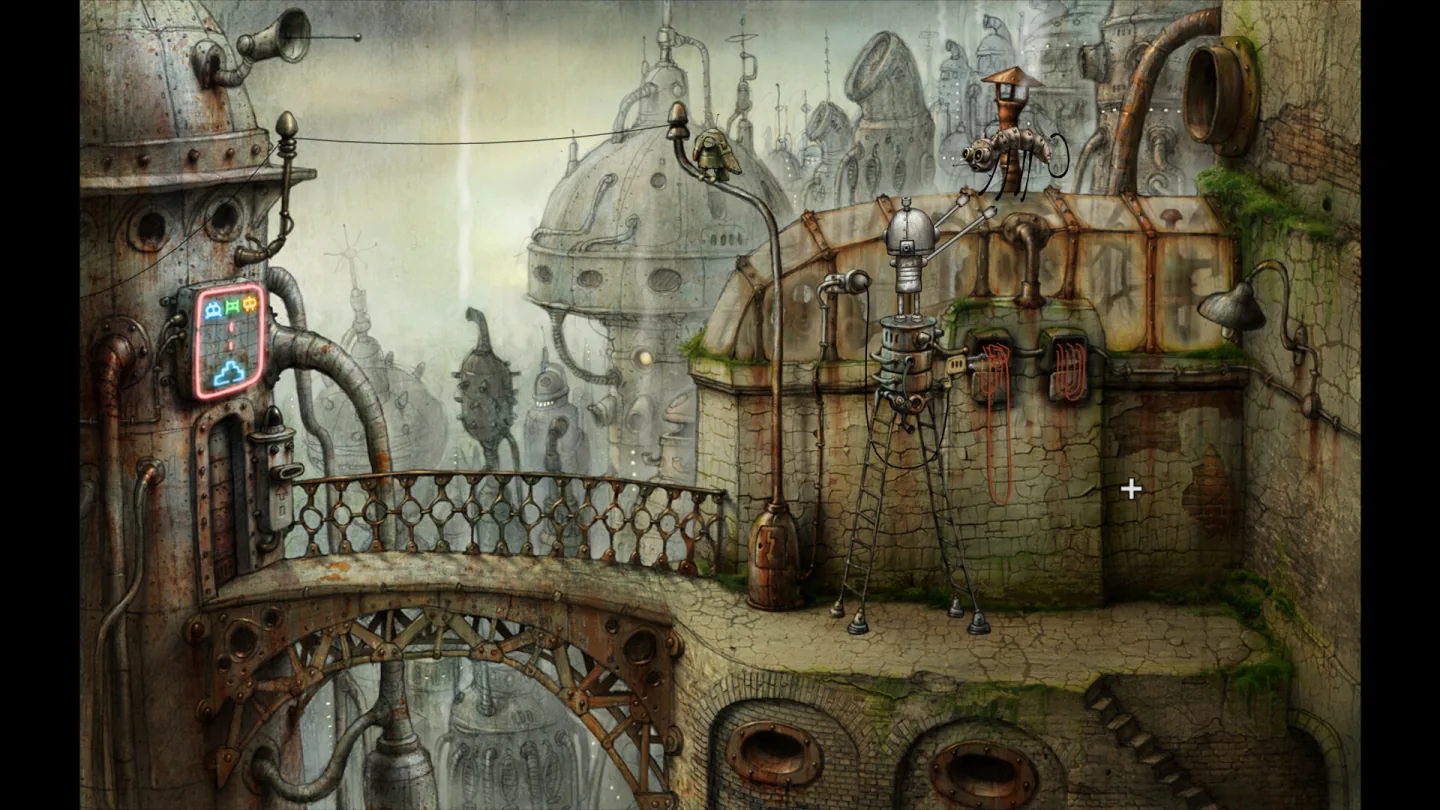
[Machinarium](https://store.steampowered.com/app/40700/) · Game imagery © its respective rights holders. Publisher-distributed Steam screenshot; all rights reserved. Excluded from MIT and CC BY 4.0.
1. A bridge connects scene areas
2. A gate limits access
- Show reachable destinations and explain blocked paths.
- [Machinarium](https://store.steampowered.com/app/40700/)
## How it works
The mouse sets the destination, path, movement speed, character orientation or view.
## Variants
### Variants and applications
- Move to a point. Action: Click destination. Application: Adventure, strategy, tactical movement, scene navigation. Conditions: Need feedback on reachability and path constructed.
- Following the cursor. Action: The character or object continuously moves towards the pointer position. Application: Arcade, pet, controlled drone, ship movement. Conditions: Determine speed, stopping and behavior at obstacles.
- Direct display object control. Action: The object's position follows the pointer with the selected coordinate display. Application: Racket, character cursor, tool movement. Conditions: Not to be confused with physical movement: delay and inertia are optional here.
- Deviation speed control. Action: The distance and direction from the reference point determine the speed of movement. Application: Ship, plane, transport, virtual joystick. Conditions: Without a neutral zone it is difficult to stop accurately.
- Relative motion steering. Action: Horizontal mouse movements change the steering angle or heading. Application: Racing, boat, land robot. Conditions: Need clear steering constraints and a way to center it.
- Queue of waypoints. Action: Consecutively click on points with adding mode. Application: Patrol, squad movement, flight plan, robotic route. Conditions: Show order, connections and the ability to delete a point.
- Drawn route. Action: Draw a line of intended movement. Application: Flow control, tactical trajectory, projectile flight. Conditions: Compare the drawn path with patency and movement restrictions.
- Free mouse browsing. Action: Change the horizontal and vertical camera angles by moving the mouse. Application: First or third person view, virtual tour. Conditions: Set sensitivity and inversion; free the pointer correctly.
- Orbital camera. Action: By dragging, rotate the camera around the selected object. Application: Inspection of a model, character, building, puzzle piece. Conditions: Maintain a clear center of rotation.
- Panning by capturing the background. Action: Drag the background of a map or canvas. Application: Strategic map, diagram, editor, large field navigation. Conditions: Agree on the direction: content is dragged or the camera moves.
- Edge scrolling. Action: Move the pointer to the edge of the visible area. Application: Review in a strategy, moving around a large field. Conditions: In windowed mode, borders and multi-monitor configuration require checking.
- Mini map navigation. Action: Click or drag the viewing area on the reduced map. Application: Quickly move the camera, select an area, navigate through a document. Conditions: Distinguish between a command to the camera and an order to the game object.
## Context and limits
Author's working classification for designing games and interactions. Options can overlap and combine; the list is not a generally accepted standard or proven exhaustive list. Application examples are conditional unless a specific verifiable observation is indicated nearby. Sources support individual techniques and technical limitations.
## Connected materials
## Sources and provenance
Original editorial design catalog consolidated from project discussions on 2026-10-20. Complete discussion item lists and contextual limitations are preserved; linked primary sources support specific techniques, not the entire classification. English translation was prepared with machine assistance and editorial review.
- [Machinarium](https://store.steampowered.com/app/40700/) (id: source-af91ee5473ad0808)
CC-BY-4.0 · gamemechanics.pro contributors