---
key: mechanic/mouse--family-hold
type: mechanic
id: mouse--family-hold
lang: en
title: Hold and release
summary: >-
Pressing starts an action, holding changes its parameter and releasing
completes it. Mini-golf uses this for preparing and taking a shot.
updatedAt: '2026-10-22'
status: active
url: 'https://gamemechanics.pro/en/knowledge/mechanic/mouse--family-hold/'
jsonUrl: 'https://gamemechanics.pro/api/v1/knowledge/en/mechanic/mouse--family-hold.json'
markdownUrl: 'https://gamemechanics.pro/content/knowledge/en/mechanic/mouse--family-hold.md'
aliases: []
tags:
- Mouse interactions
- Input and gestures
sourceIds:
- source-a7bcd0fbc9dc6475
sources:
- id: source-a7bcd0fbc9dc6475
title: Golf With Your Friends
url: 'https://store.steampowered.com/app/431240/'
verifiedAt: null
relations: []
placements:
- catalogId: mouse
id: family-hold
title: Mouse interactions
url: 'https://gamemechanics.pro/en/mechanics/mouse/#family-hold'
categoryIds:
- section-1
supersededBy: []
attributes:
preview:
updatedAt: '2026-10-22'
title: Hold and release
description: >-
Pressing starts an action, holding changes its parameter and releasing
completes it. Mini-golf uses this for preparing and taking a shot.
image:
src: images/mechanics/general-golf-with-friends-06.webp
width: 1440
height: 810
game: Golf With Your Friends
sourceUrl: 'https://store.steampowered.com/app/431240/'
originalUrl: >-
https://shared.akamai.steamstatic.com/store_item_assets/steam/apps/431240/ss_eab882834b54a0a3eb89b4a658b72596f364e9e0.1920x1080.jpg?t=1789740480
credit: Blacklight Interactive / Team17 / Team17
rights: >-
Game imagery © its respective rights holders. Publisher-distributed
screenshot from Steam; all rights reserved. Excluded from MIT and CC BY
4.0.
caption: Direction and power guide the ball toward the hole
alt: Direction and power guide the ball toward the hole
markers:
- x: 52
'y': 63
label: The ball and aiming line retain the shot origin
- x: 18
'y': 88
label: The power meter sets the shot strength
tips:
- Show current power and allow an unfinished action to be cancelled.
examples:
- title: Golf With Your Friends
url: 'https://store.steampowered.com/app/431240/'
endsAt: null
provenance: >-
Original editorial design catalog consolidated from project discussions on
2026-10-20. Complete discussion item lists and contextual limitations are
preserved; linked primary sources support specific techniques, not the entire
classification. English translation was prepared with machine assistance and
editorial review.
license: CC-BY-4.0
codeLicense: MIT
attribution: gamemechanics.pro contributors
catalogKey: catalog/mouse
---
# Hold and release
id: mouse--family-hold
type: mechanic
key: mechanic/mouse--family-hold
lang: en
status: active
url: https://gamemechanics.pro/en/knowledge/mechanic/mouse--family-hold/
Pressing starts an action, holding changes its parameter and releasing completes it. Mini-golf uses this for preparing and taking a shot.
## At a glance
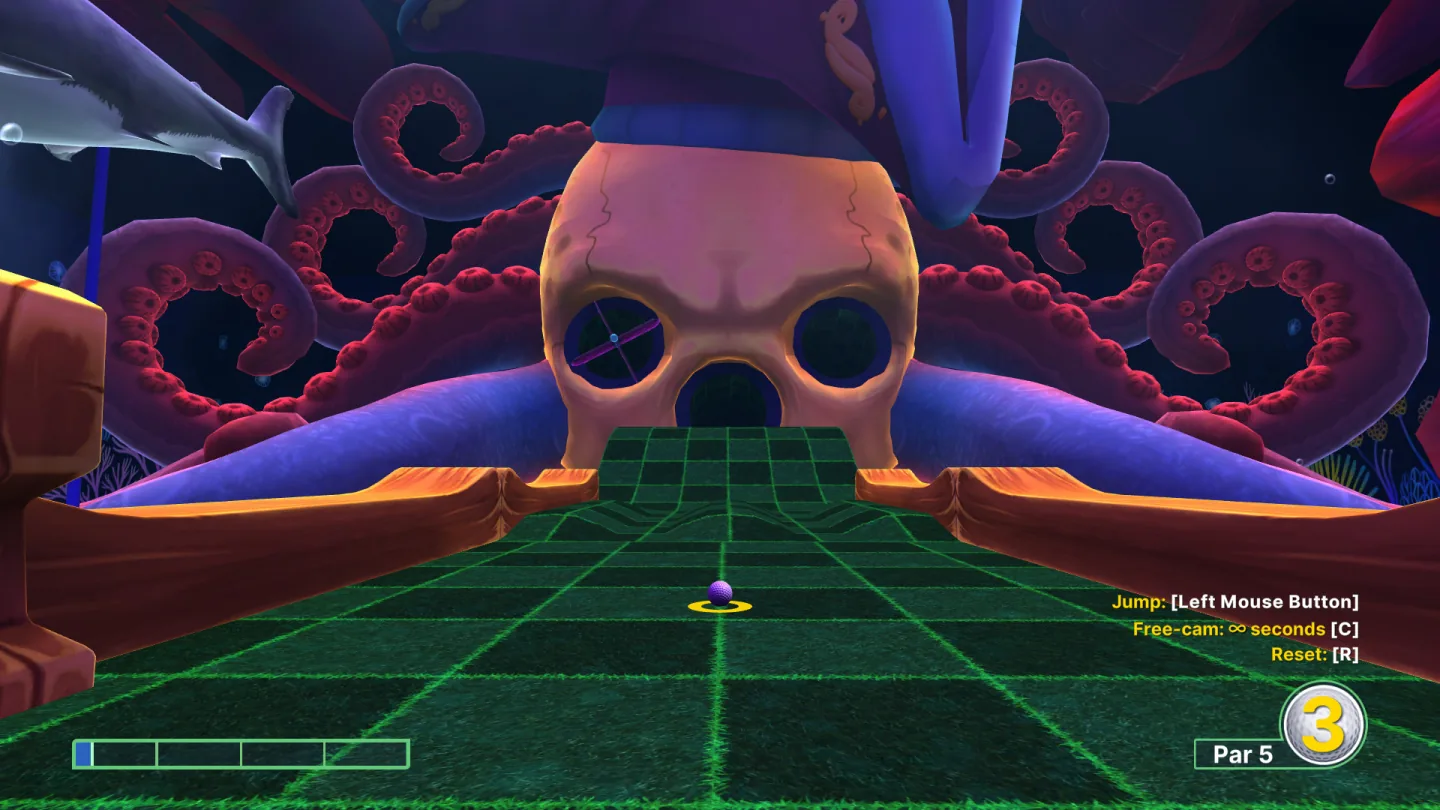
[Golf With Your Friends](https://store.steampowered.com/app/431240/) · Game imagery © its respective rights holders. Publisher-distributed screenshot from Steam; all rights reserved. Excluded from MIT and CC BY 4.0.
1. The ball and aiming line retain the shot origin
2. The power meter sets the shot strength
- Show current power and allow an unfinished action to be cancelled.
- [Golf With Your Friends](https://store.steampowered.com/app/431240/)
## How it works
The duration of pressing and the moment of release become part of the control.
## Variants
### Variants and applications
- Action while the button is pressed. Action: Hold the button for a continuous effect. Application: Automatic fire, protection, fluid flow, drill work. Conditions: If focus is lost, the action must be completed safely.
- Auto repeat when held. Action: After a delay, repeat the discrete command while the button is pressed. Application: Buy by unit, change the counter, re-mining. Conditions: Set the delay, repeat tempo and immediate stop.
- Accumulation of strength. Action: Hold the button; duration determines the power. Application: Shot charge, jump force, throw, impact intensity. Conditions: Show scale and limit; the duration is not equal to the physical force of pressing.
- Long press as a separate command. Action: Hold longer than the threshold instead of a short click. Application: Inspection instead of use, extended actions, mode change. Conditions: Do not perform an irreversible short click until the hold is recognized.
- Continuous confirmation. Action: Hold until the indicator completes. Application: Reset confirmation, start of a dangerous mechanism, long-term interaction. Conditions: Provide a clear way to cancel and an alternative to holding.
- Release command. Action: Pressing prepares an action, releasing it starts it. Application: Release an arrow, throw an object, complete placement. Conditions: Determine in advance how to cancel a prepared action.
- Separation of pressing and releasing. Action: Assign the start and end of pressing to different phases. Application: Grab → release; inhale → exhale; open → close valve. Conditions: The state should not hang if the release event is lost.
- Short and long hold. Action: Select the action option by duration before releasing. Application: Light and heavy blow, short and high jump. Conditions: The boundaries of the options need to be explained and tested on different users.
- Accumulation by impulses. Action: Press and release in series; pauses change the accumulated effect. Application: Pumping up the pump, maintaining pressure, warming up the instrument. Conditions: Show both the increase and decrease of the accumulated value.
- Temporary hold mode. Action: Work in mode only until the button is released. Application: Magnifying glass, block, slow motion, temporary map viewing. Conditions: You can offer an option with switching instead of holding.
- Fixing the capture with a click. Action: Click to grab, move without holding, click to release. Application: Carrying objects, building, an accessible alternative to dragging. Conditions: Need a noticeable grab and cancel mode.
- Cancel by leaving the target. Action: Press on the control, move the pointer, then release. Application: Cancel accidental button presses before executing the command. Conditions: Apply to normal buttons; For dragging the rules are different.
## Context and limits
Author's working classification for designing games and interactions. Options can overlap and combine; the list is not a generally accepted standard or proven exhaustive list. Application examples are conditional unless a specific verifiable observation is indicated nearby. Sources support individual techniques and technical limitations.
## Connected materials
## Sources and provenance
Original editorial design catalog consolidated from project discussions on 2026-10-20. Complete discussion item lists and contextual limitations are preserved; linked primary sources support specific techniques, not the entire classification. English translation was prepared with machine assistance and editorial review.
- [Golf With Your Friends](https://store.steampowered.com/app/431240/) (id: source-a7bcd0fbc9dc6475)
CC-BY-4.0 · gamemechanics.pro contributors