---
key: mechanic/mouse--family-combat
type: mechanic
id: mouse--family-combat
lang: en
title: Aiming and Combat
summary: >-
Mouse movement sets the view or aim direction while a button triggers an
attack. The player combines aiming, movement and shot timing.
updatedAt: '2026-10-22'
status: active
url: 'https://gamemechanics.pro/en/knowledge/mechanic/mouse--family-combat/'
jsonUrl: >-
https://gamemechanics.pro/api/v1/knowledge/en/mechanic/mouse--family-combat.json
markdownUrl: >-
https://gamemechanics.pro/content/knowledge/en/mechanic/mouse--family-combat.md
aliases: []
tags:
- Mouse interactions
- Applied Mechanics
sourceIds:
- source-dcca4f2fe4d8da47
sources:
- id: source-dcca4f2fe4d8da47
title: Counter-Strike 2
url: 'https://store.steampowered.com/app/730/'
verifiedAt: null
relations: []
placements:
- catalogId: mouse
id: family-combat
title: Mouse interactions
url: 'https://gamemechanics.pro/en/mechanics/mouse/#family-combat'
categoryIds:
- section-2
supersededBy: []
attributes:
preview:
updatedAt: '2026-10-22'
title: Aiming and Combat
description: >-
Mouse movement sets the view or aim direction while a button triggers an
attack. The player combines aiming, movement and shot timing.
image:
src: images/mechanics/priority-counter-strike2-03.webp
width: 1440
height: 810
game: Counter-Strike 2
sourceUrl: 'https://store.steampowered.com/app/730/'
originalUrl: >-
https://shared.akamai.steamstatic.com/store_item_assets/steam/apps/730/ss_0f8cf82d019c614760fd20801f2bb4001da7ea77.1920x1080.jpg?t=1791824795
credit: Valve
rights: >-
Game imagery © its respective rights holders. Publisher-distributed
Steam screenshot; all rights reserved. Excluded from MIT and CC BY 4.0.
caption: A player checks a narrow passage in Counter-Strike 2
alt: A player checks a narrow passage in Counter-Strike 2
markers:
- x: 38
'y': 58
label: A corner limits available information
- x: 61
'y': 60
label: Weapon aimed along the passage
tips:
- Allow sensitivity adjustment and removal of unwanted acceleration.
examples:
- title: Counter-Strike 2
url: 'https://store.steampowered.com/app/730/'
endsAt: null
provenance: >-
Original editorial design catalog consolidated from project discussions on
2026-10-20. Complete discussion item lists and contextual limitations are
preserved; linked primary sources support specific techniques, not the entire
classification. English translation was prepared with machine assistance and
editorial review.
license: CC-BY-4.0
codeLicense: MIT
attribution: gamemechanics.pro contributors
catalogKey: catalog/mouse
---
# Aiming and Combat
id: mouse--family-combat
type: mechanic
key: mechanic/mouse--family-combat
lang: en
status: active
url: https://gamemechanics.pro/en/knowledge/mechanic/mouse--family-combat/
Mouse movement sets the view or aim direction while a button triggers an attack. The player combines aiming, movement and shot timing.
## At a glance
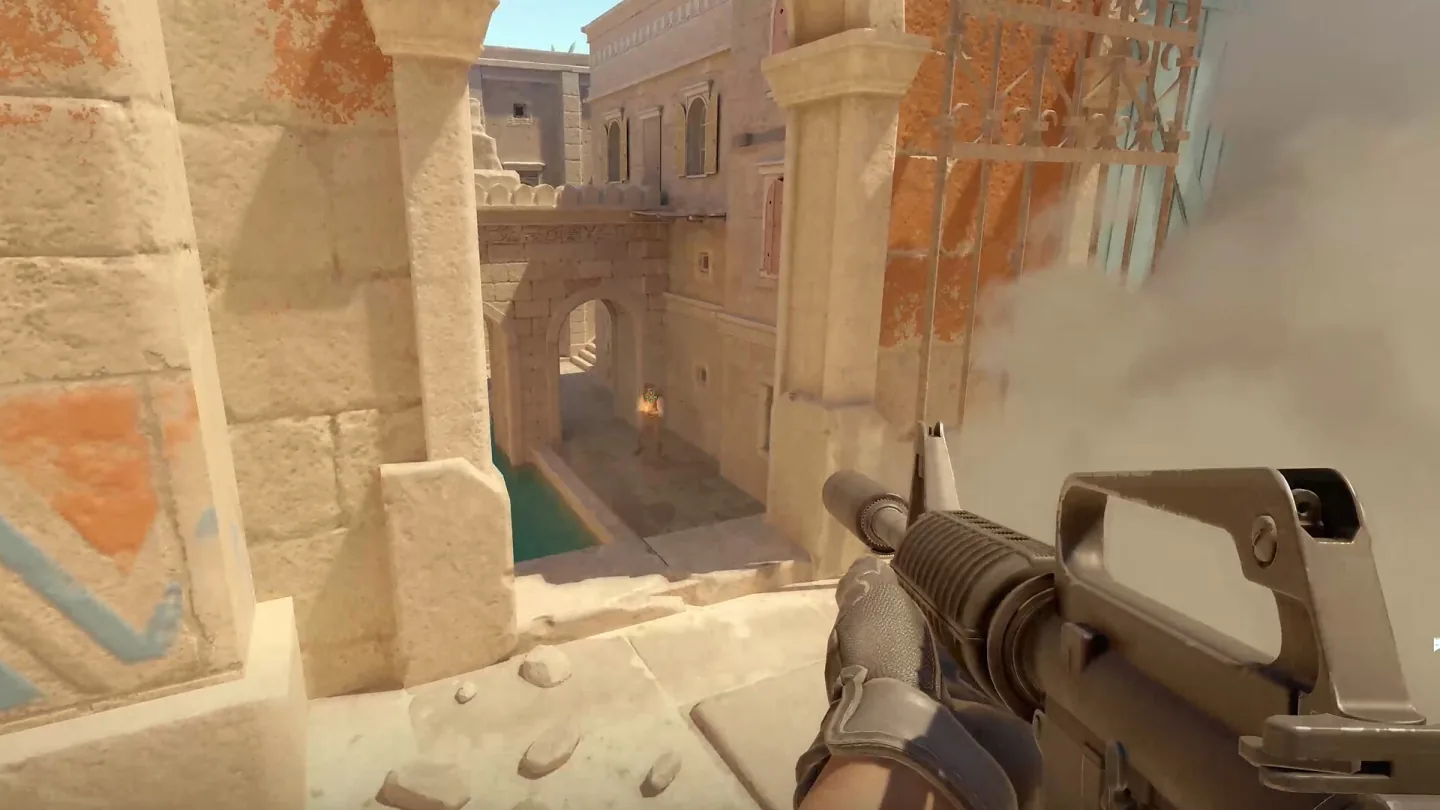
[Counter-Strike 2](https://store.steampowered.com/app/730/) · Game imagery © its respective rights holders. Publisher-distributed Steam screenshot; all rights reserved. Excluded from MIT and CC BY 4.0.
1. A corner limits available information
2. Weapon aimed along the passage
- Allow sensitivity adjustment and removal of unwanted acceleration.
- [Counter-Strike 2](https://store.steampowered.com/app/730/)
## How it works
Game patterns in which the mouse sets the direction of attack, selecting a target and performing a combat action.
## Variants
### Variants and applications
- Sight in screen coordinates. Action: The cursor position directly sets the position of the sight. Application: Shooting gallery, rail shooter, shooting at on-screen targets. Conditions: These are screen coordinates, not absolute mouse coordinates on the table.
- Relative guidance. Action: Mouse movement changes crosshair or camera angles. Application: First person shooter, turret, view control. Conditions: Need to capture relative input and escape from it.
- Direction from character to cursor. Action: The vector from the hero to the pointer determines the direction of the attack. Application: Top-down action, melee weapon, directional tool. Conditions: The vector is unstable at the hero’s position itself; short distance processing needed.
- Quick translation and shot, flick. Action: Sharply move the sight to the target and press. Application: Single accurate shot, reaction to a sudden threat. Conditions: Difficulty depends on both the translation distance and the size of the target.
- Escort with fire, tracking. Action: Keep sights on the target while holding fire. Application: Beam, automatic weapon, gradual scanning of weak point. Conditions: Maintain target readability and hit feedback.
- Leading a moving target. Action: Aim ahead of the target. Application: Finite-speed projectiles, ballistics and interception. Conditions: Prediction depends on the projectile model and the target's movement.
- Recoil compensation. Action: Counteract the sight movement with the mouse. Application: Queue control, operation of a powerful tool. Conditions: Random scatter and compensated movement are different mechanisms.
- Target acquisition and switching. Action: Select a target with the mouse, hold the capture or switch the candidate. Application: Homing, boss escort, squad command. Conditions: Show the selected target and the reasons for losing the capture.
- Selecting the ability point and area. Action: Aim at the center of the area, set direction if necessary and confirm. Application: Explosion, area healing, wall, cone attack. Conditions: Show range, obstacles, cost and future area of effect.
- Gesture of the direction of the blow. Action: Move the mouse to select the side of the swing or slash. Application: Fencing, directed defense, cutting obstacles. Conditions: Recognize an intentional gesture separately from normal camera aiming.
- Charge with simultaneous guidance. Action: Hold the button for power and continue to choose a direction. Application: Bow, grenade throw, charging ability. Conditions: Charge states and shot allowance must be visible at the same time.
- Tension and release. Action: Pull back from the support, release to launch. Application: Slingshot, billiard shot, catapult, throwback. Conditions: The length and direction of the pull set the virtual impulse.
## Context and limits
Author's working classification for designing games and interactions. Options can overlap and combine; the list is not a generally accepted standard or proven exhaustive list. Application examples are conditional unless a specific verifiable observation is indicated nearby. Sources support individual techniques and technical limitations.
## Connected materials
## Sources and provenance
Original editorial design catalog consolidated from project discussions on 2026-10-20. Complete discussion item lists and contextual limitations are preserved; linked primary sources support specific techniques, not the entire classification. English translation was prepared with machine assistance and editorial review.
- [Counter-Strike 2](https://store.steampowered.com/app/730/) (id: source-dcca4f2fe4d8da47)
CC-BY-4.0 · gamemechanics.pro contributors