---
key: mechanic/mouse--family-click
type: mechanic
id: mouse--family-click
lang: en
title: Clicks and Sequences
summary: >-
A mouse-button press triggers a command. Rules can consider the target, click
count, order and interval between clicks.
updatedAt: '2026-10-22'
status: active
url: 'https://gamemechanics.pro/en/knowledge/mechanic/mouse--family-click/'
jsonUrl: >-
https://gamemechanics.pro/api/v1/knowledge/en/mechanic/mouse--family-click.json
markdownUrl: 'https://gamemechanics.pro/content/knowledge/en/mechanic/mouse--family-click.md'
aliases:
- Clicks and button sequences
tags:
- Mouse interactions
- Input and gestures
sourceIds:
- source-24f9d145885e7fad
sources:
- id: source-24f9d145885e7fad
title: Human Benchmark
url: 'https://humanbenchmark.com/tests/reactiontime'
verifiedAt: null
relations: []
placements:
- catalogId: mouse
id: family-click
title: Mouse interactions
url: 'https://gamemechanics.pro/en/mechanics/mouse/#family-click'
categoryIds:
- section-1
supersededBy: []
attributes:
preview:
updatedAt: '2026-10-22'
title: Clicks and button sequences
description: >-
A mouse-button press triggers a command. Rules can consider the target,
click count, order and interval between clicks.
image:
src: images/mechanics/learning-human-benchmark-reaction.webp
width: 1280
height: 464
game: Human Benchmark
sourceUrl: 'https://humanbenchmark.com/tests/reactiontime'
originalUrl: 'https://humanbenchmark.com/tests/reactiontime'
credit: 'Human Benchmark; public test capture, 2026-10-22'
rights: >-
© Human Benchmark. Actual unsigned test session captured 2026-10-22.
Cropped to the application header and task area; advertising outside the
task omitted. All rights reserved; excluded from MIT and CC BY 4.0.
caption: 'Human Benchmark: the red state requires waiting for the green signal'
alt: 'Human Benchmark: the red state requires waiting for the green signal'
markers:
- x: 50
'y': 51
label: Wait for green requires withholding the click
tips:
- Distinguish individual presses from repetition caused by holding.
examples:
- title: Human Benchmark
url: 'https://humanbenchmark.com/tests/reactiontime'
endsAt: null
provenance: >-
Original editorial design catalog consolidated from project discussions on
2026-10-20. Complete discussion item lists and contextual limitations are
preserved; linked primary sources support specific techniques, not the entire
classification. English translation was prepared with machine assistance and
editorial review.
license: CC-BY-4.0
codeLicense: MIT
attribution: gamemechanics.pro contributors
catalogKey: catalog/mouse
---
# Clicks and Sequences
id: mouse--family-click
type: mechanic
key: mechanic/mouse--family-click
lang: en
status: active
url: https://gamemechanics.pro/en/knowledge/mechanic/mouse--family-click/
A mouse-button press triggers a command. Rules can consider the target, click count, order and interval between clicks.
## At a glance
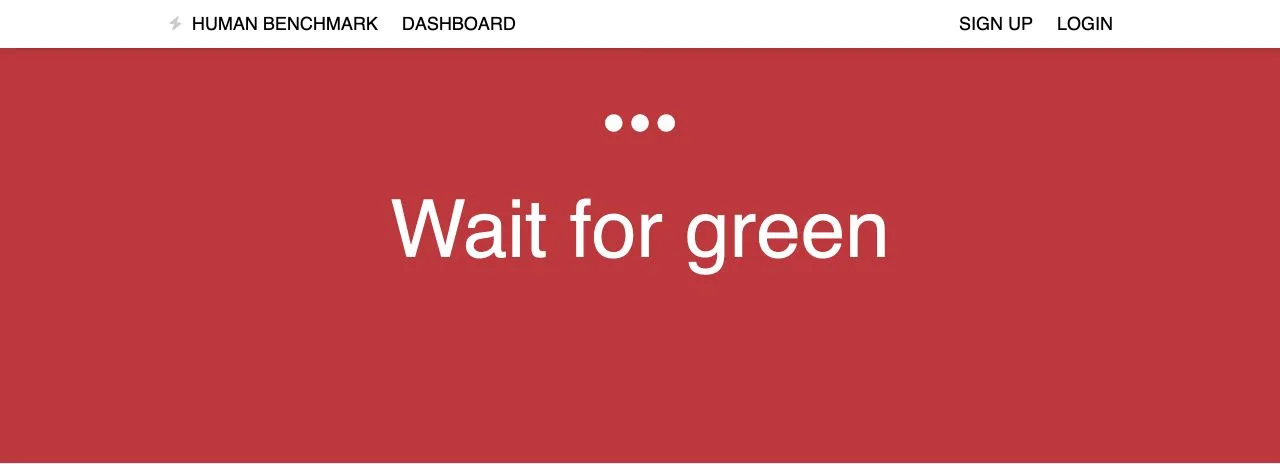
[Human Benchmark](https://humanbenchmark.com/tests/reactiontime) · © Human Benchmark. Actual unsigned test session captured 2026-10-22. Cropped to the application header and task area; advertising outside the task omitted. All rights reserved; excluded from MIT and CC BY 4.0.
1. Wait for green requires withholding the click
- Distinguish individual presses from repetition caused by holding.
- [Human Benchmark](https://humanbenchmark.com/tests/reactiontime)
## How it works
One-time commands, number of clicks, button order and repetition.
## Variants
### Variants and applications
- Main click. Action: Press and release the main button on the target. Application: Select, confirm, shoot, get a resource, press the button. Conditions: The main button can be reassigned by the user.
- Secondary click. Action: Press the secondary button. Application: Context menu, alternative action, order to a unit. Conditions: In the browser and OS can be occupied by a standard command.
- Middle click. Action: Press the wheel or a separate middle button. Application: Additional command, open a resource, put a mark. Conditions: The presence and convenience of the middle button cannot be considered guaranteed.
- Double click. Action: Double-click within temporal and spatial tolerances. Application: Open object, select all similar units, zoom in. Conditions: Single-click conflict requires explicit resolution.
- Triple click. Action: Quickly click three times in one area. Application: Select a large text block or enable a rare command. Conditions: The meaning depends on the application; I need a simpler double...
- A sequence of N clicks. Action: Perform the specified number of clicks before the timeout. Application: Entering a conditional code, action steps, secret command. Conditions: The user must see the accumulated number and the reset moment.
- Repeated clicks with accumulation. Action: Press repeatedly; each click adds a result. Application: Clicker, manual extraction, progress swing, fight for capture. Conditions: Limit fatigue; provide hold or auto-repeat.
- Alternating buttons. Action: Press the primary and secondary buttons in succession. Application: Stepping, rowing, two-tool operation, hand drive. Conditions: Clearly distinguish between incorrect order and too slow input.
- Code from different buttons. Action: Enter a sequence of the form primary → primary → secondary. Application: Combo, spell, mechanism password. Conditions: Commands must have a separator or a clear timeout.
- Click switch. Action: Click again to change the state back and forth. Application: Aiming, grabbing an object, automatic extraction, turning on a tool. Conditions: Constantly show the current state of the mode.
- Click on the process stage. Action: Use the same button to advance the process to the next stage. Application: Start → stop → confirm; step-by-step wizard or mini-game. Conditions: Each step must explain the meaning of the next click.
- Click anywhere. Action: Give a command regardless of the position of the pointer. Application: One-button game, continuation of dialogue, skipping an allowed scene. Conditions: Separate interface zones so that clicking on the menu does not perform a game action.
## Context and limits
Author's working classification for designing games and interactions. Options can overlap and combine; the list is not a generally accepted standard or proven exhaustive list. Application examples are conditional unless a specific verifiable observation is indicated nearby. Sources support individual techniques and technical limitations.
## Connected materials
## Sources and provenance
Original editorial design catalog consolidated from project discussions on 2026-10-20. Complete discussion item lists and contextual limitations are preserved; linked primary sources support specific techniques, not the entire classification. English translation was prepared with machine assistance and editorial review.
- [Human Benchmark](https://humanbenchmark.com/tests/reactiontime) (id: source-24f9d145885e7fad)
CC-BY-4.0 · gamemechanics.pro contributors