---
key: mechanic/keyboard--family-typing
type: mechanic
id: keyboard--family-typing
lang: en
title: Typed text as an action
summary: >-
A game uses entered text such as a word, command or message, accounting for
keyboard layout and the text-input method.
updatedAt: '2026-10-22'
status: active
url: 'https://gamemechanics.pro/en/knowledge/mechanic/keyboard--family-typing/'
jsonUrl: >-
https://gamemechanics.pro/api/v1/knowledge/en/mechanic/keyboard--family-typing.json
markdownUrl: >-
https://gamemechanics.pro/content/knowledge/en/mechanic/keyboard--family-typing.md
aliases: []
tags:
- Physical keyboard interactions
- Characters and meaning
sourceIds:
- source-839dfd6aadadd7e9
sources:
- id: source-839dfd6aadadd7e9
title: Hacknet
url: 'https://store.steampowered.com/app/365450/'
verifiedAt: null
relations: []
placements:
- catalogId: keyboard
id: family-typing
title: Physical keyboard interactions
url: 'https://gamemechanics.pro/en/mechanics/keyboard/#family-typing'
categoryIds:
- section-5
supersededBy: []
attributes:
preview:
updatedAt: '2026-10-22'
title: Typed text as an action
description: >-
A game uses entered text such as a word, command or message, accounting
for keyboard layout and the text-input method.
image:
src: images/mechanics/interface-hacknet-00.webp
width: 1440
height: 809
game: Hacknet
sourceUrl: 'https://store.steampowered.com/app/365450/'
originalUrl: >-
https://shared.akamai.steamstatic.com/store_item_assets/steam/apps/365450/ss_182ebf5aa570fc0ad0d1d974d43137e858ddeb54.1920x1080.jpg?t=1758156718
credit: Team Fractal Alligator / Fellow Traveller
rights: >-
© Team Fractal Alligator / Fellow Traveller. All rights reserved.
Excluded from MIT and CC BY 4.0.
caption: 'Hacknet: a quick command reference beside the terminal'
alt: 'Hacknet: a quick command reference beside the terminal'
markers:
- x: 7
'y': 31
label: Quick Reference Guide explains the commands
tips:
- Do not equate one character with one physical keypress.
examples:
- title: Hacknet
url: 'https://store.steampowered.com/app/365450/'
endsAt: null
provenance: >-
Original editorial design catalog consolidated from project discussions on
2026-10-20. Complete discussion item lists and contextual limitations are
preserved; linked primary sources support specific techniques, not the entire
classification. English translation was prepared with machine assistance and
editorial review.
license: CC-BY-4.0
codeLicense: MIT
attribution: gamemechanics.pro contributors
catalogKey: catalog/keyboard
---
# Typed text as an action
id: keyboard--family-typing
type: mechanic
key: mechanic/keyboard--family-typing
lang: en
status: active
url: https://gamemechanics.pro/en/knowledge/mechanic/keyboard--family-typing/
A game uses entered text such as a word, command or message, accounting for keyboard layout and the text-input method.
## At a glance
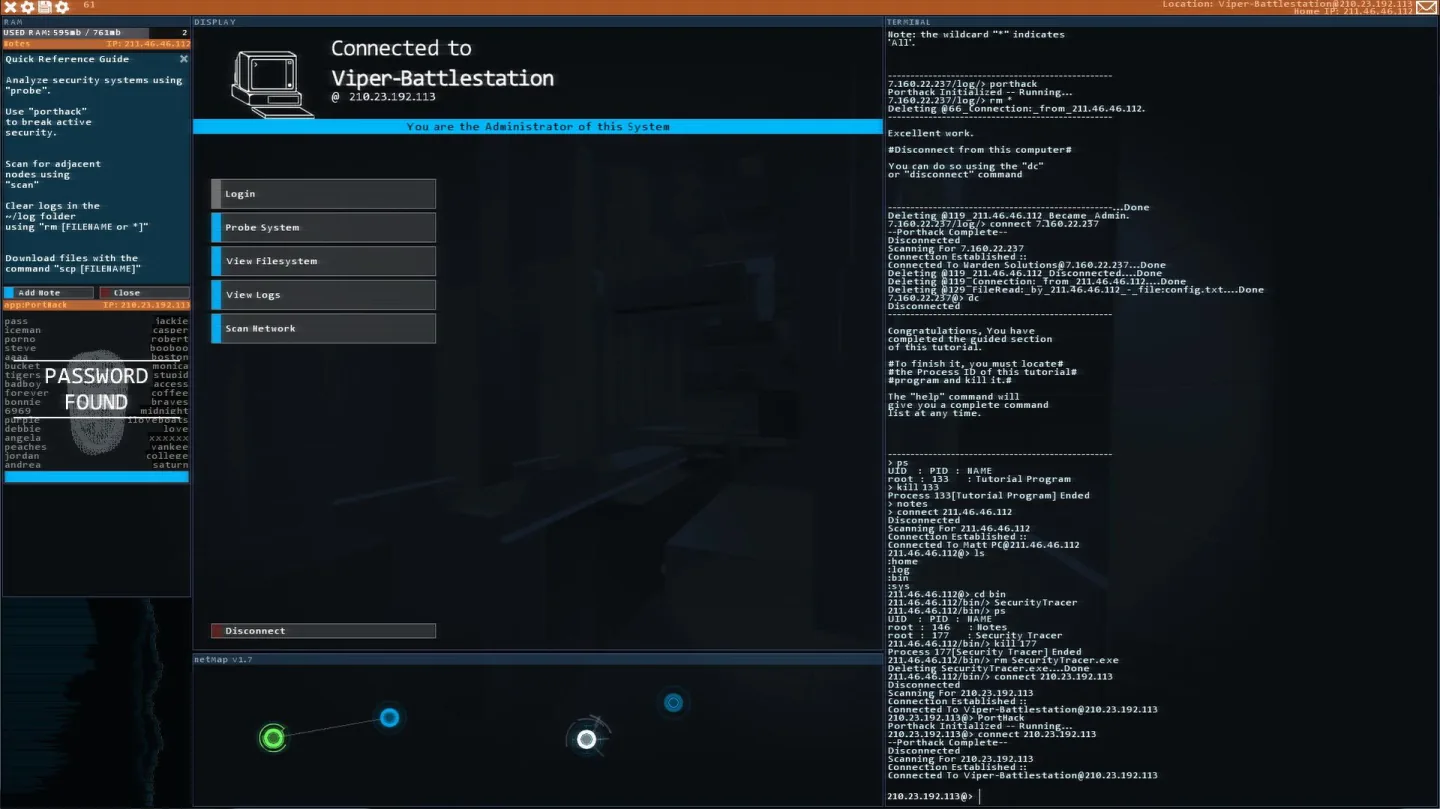
[Hacknet](https://store.steampowered.com/app/365450/) · © Team Fractal Alligator / Fellow Traveller. All rights reserved. Excluded from MIT and CC BY 4.0.
1. Quick Reference Guide explains the commands
- Do not equate one character with one physical keypress.
- [Hacknet](https://store.steampowered.com/app/365450/)
## How it works
The result depends on the entered text, its structure or meaning.
## Variants
### Variants and applications
- Enter a specified character. Action: Type a specific character, number or sign. Application: Teaching the alphabet, numeric answer, searching for the desired letter. Conditions: The physical key and the resulting character differ when changing the layout. Equipment: Regular keyboard.
- Copying a word or text. Action: Reproduce the displayed text with an assessment of speed and accuracy. Application: Typing trainer, typing, message rewriting. Conditions: Define rules of case, punctuation and correction handling. Equipment: Regular keyboard.
- The word is like a command. Action: The entered word selects an action from the dictionary. Usage: Type the name of a spell, item, target, or function. Conditions: Dictionary, synonyms, and acceptable languages are part of the rules. Equipment: Regular keyboard.
- Prefix as targeting. Action: As you type, objects whose names do not match are eliminated. Application: Selecting an enemy by word, searching for a file, accessing multiple objects without a mouse. Conditions: Common prefixes require a disambiguation rule. Equipment: Regular keyboard.
- Number or formula as control. Action: The user specifies a numerical value or a calculated expression. Application: Set up a trajectory, allocate a resource, enter coordinates, solve an arithmetic problem. Conditions: Use limited parsing of expressions and explicit units of measurement. Equipment: Regular keyboard.
- Free phrase. Action: The entered sentence is interpreted as an intention. Application: Text adventure, dialogue, description of a character's action. Conditions: Define the limits of the parser or model in advance; understanding of the text is not guaranteed. Equipment: Regular keyboard.
- Program as action. Action: The text describes an executable algorithm or set of rules. Application: Program a robot, specify factory logic, compose a procedural drawing. Conditions: The language can be a small DSL; execution requires a limited environment. Equipment: Regular keyboard.
- Text as a created object. Action: Letters and symbols remain part of the world or work. Application: ASCII drawing, poetry, notes, musical score of symbols. Conditions: Both the content and arrangement of the symbols are important. Equipment: A regular keyboard.
## Context and limits
Author's working classification for designing games and interactions. Options can overlap and combine; the list is not a generally accepted standard or proven exhaustive list. Application examples are conditional unless a specific verifiable observation is indicated nearby. Sources support individual techniques and technical limitations.
## Connected materials
## Sources and provenance
Original editorial design catalog consolidated from project discussions on 2026-10-20. Complete discussion item lists and contextual limitations are preserved; linked primary sources support specific techniques, not the entire classification. English translation was prepared with machine assistance and editorial review.
- [Hacknet](https://store.steampowered.com/app/365450/) (id: source-839dfd6aadadd7e9)
CC-BY-4.0 · gamemechanics.pro contributors