---
key: mechanic/keyboard--family-text-rules
type: mechanic
id: keyboard--family-text-rules
lang: en
title: Text restrictions and transformations
summary: >-
Entered text must satisfy constraints such as allowed words, command syntax, a
transformation or the meaning of a response.
updatedAt: '2026-10-22'
status: active
url: 'https://gamemechanics.pro/en/knowledge/mechanic/keyboard--family-text-rules/'
jsonUrl: >-
https://gamemechanics.pro/api/v1/knowledge/en/mechanic/keyboard--family-text-rules.json
markdownUrl: >-
https://gamemechanics.pro/content/knowledge/en/mechanic/keyboard--family-text-rules.md
aliases:
- Text constraints and rules
tags:
- Physical keyboard interactions
- Rule
sourceIds:
- source-839dfd6aadadd7e9
sources:
- id: source-839dfd6aadadd7e9
title: Hacknet
url: 'https://store.steampowered.com/app/365450/'
verifiedAt: null
relations: []
placements:
- catalogId: keyboard
id: family-text-rules
title: Physical keyboard interactions
url: 'https://gamemechanics.pro/en/mechanics/keyboard/#family-text-rules'
categoryIds:
- section-6
supersededBy: []
attributes:
preview:
updatedAt: '2026-10-22'
title: Text constraints and rules
description: >-
Entered text must satisfy constraints such as allowed words, command
syntax, a transformation or the meaning of a response.
image:
src: images/mechanics/interface-hacknet-00.webp
width: 1440
height: 809
game: Hacknet
sourceUrl: 'https://store.steampowered.com/app/365450/'
originalUrl: >-
https://shared.akamai.steamstatic.com/store_item_assets/steam/apps/365450/ss_182ebf5aa570fc0ad0d1d974d43137e858ddeb54.1920x1080.jpg?t=1758156718
credit: Team Fractal Alligator / Fellow Traveller
rights: >-
© Team Fractal Alligator / Fellow Traveller. All rights reserved.
Excluded from MIT and CC BY 4.0.
caption: 'Hacknet: a quick command reference beside the terminal'
alt: 'Hacknet: a quick command reference beside the terminal'
markers:
- x: 7
'y': 31
label: Quick Reference Guide explains the commands
tips:
- Explain the violated rule and preserve the text for correction.
examples:
- title: Hacknet
url: 'https://store.steampowered.com/app/365450/'
endsAt: null
provenance: >-
Original editorial design catalog consolidated from project discussions on
2026-10-20. Complete discussion item lists and contextual limitations are
preserved; linked primary sources support specific techniques, not the entire
classification. English translation was prepared with machine assistance and
editorial review.
license: CC-BY-4.0
codeLicense: MIT
attribution: gamemechanics.pro contributors
catalogKey: catalog/keyboard
---
# Text restrictions and transformations
id: keyboard--family-text-rules
type: mechanic
key: mechanic/keyboard--family-text-rules
lang: en
status: active
url: https://gamemechanics.pro/en/knowledge/mechanic/keyboard--family-text-rules/
Entered text must satisfy constraints such as allowed words, command syntax, a transformation or the meaning of a response.
## At a glance
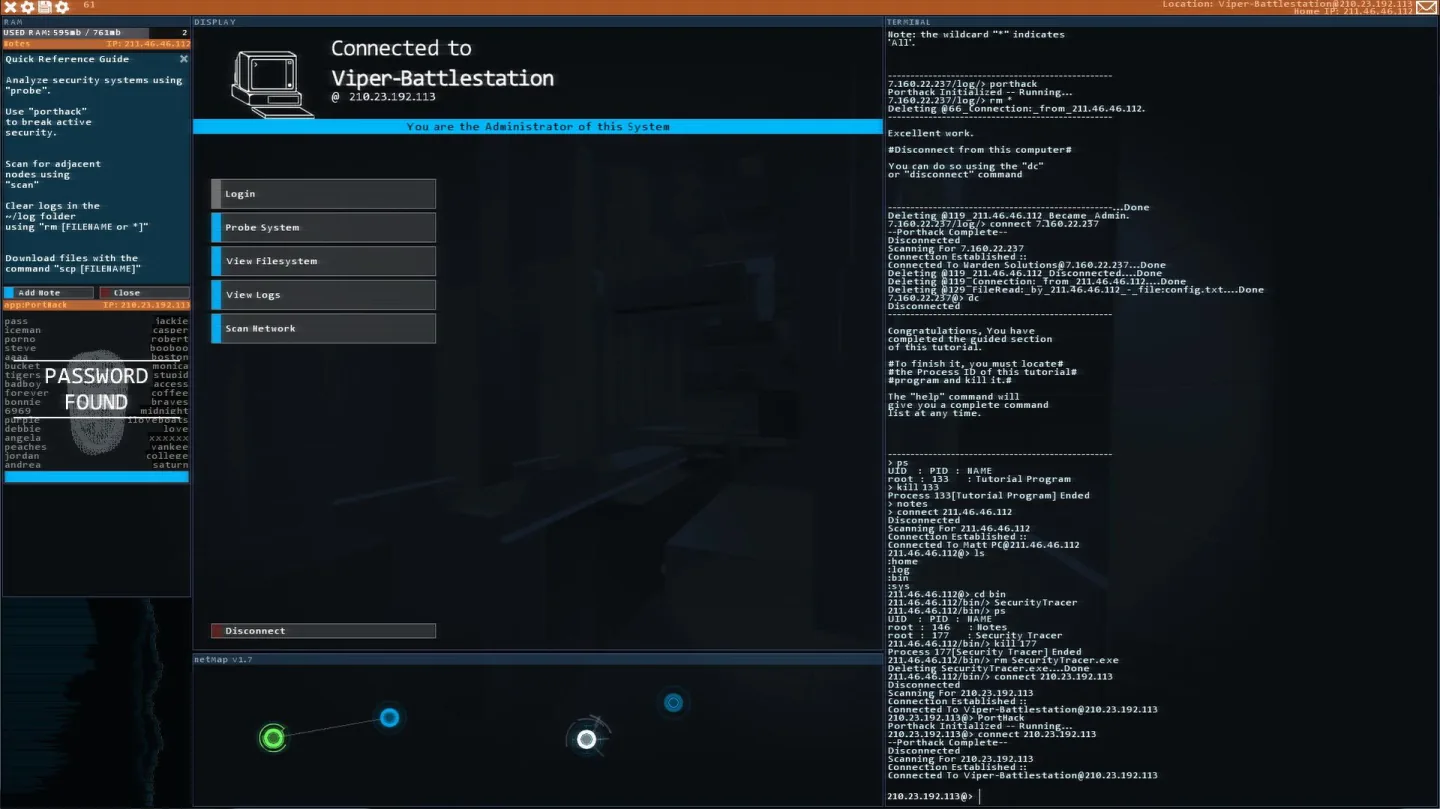
[Hacknet](https://store.steampowered.com/app/365450/) · © Team Fractal Alligator / Fellow Traveller. All rights reserved. Excluded from MIT and CC BY 4.0.
1. Quick Reference Guide explains the commands
- Explain the violated rule and preserve the text for correction.
- [Hacknet](https://store.steampowered.com/app/365450/)
## How it works
Additional requirements and consequences are specified above the text input.
## Variants
### Variants and applications
- Permitted or prohibited alphabet. Action: Use only certain symbols or avoid specified ones. Application: Lipogram, damaged terminal, spells from available runes. Conditions: The final text or each event is checked; these are different conditions. Equipment: Regular keyboard.
- Word formation according to the rule. Action: Create words of the desired length, category, ending or structure. Application: Word battle, educational quiz, selection of a recipe based on the properties of a word. Conditions: A dictionary or clear, testable grammar is needed. Equipment: A regular keyboard.
- String conversion. Action: Reverse typing, encrypt, replace or rearrange characters. Applications: Decryption, mirror messages, logic puzzles. Conditions: For international text, consider compound characters and graphemes. Equipment: Regular keyboard.
- Case and punctuation as meaning. Action: Different forms of notation indicate different actions or quality of the result. Application: Increasing the power of a spell with case, syntactic tasks, precise command entry. Conditions: The rule must retain meaning in supported languages. Equipment: A regular keyboard.
- Time limit for text. Action: Complete a word, phrase or message before the deadline. Application: Save a character by typing a command, high-speed correspondence, emergency protocol. Conditions: The length and language of the text must be taken into account when setting the time. Equipment: A regular keyboard.
- Consequences of typos. Action: An error changes the world: it causes damage, creates interference or distorts the command. Application: Unstable spells, a noisy communication channel, operator simulation. Conditions: The tolerance for errors and the possibility of correction are set explicitly. Equipment: A regular keyboard.
- Correction as a resource. Action: Backspace, replacement and cancellation are limited, paid or provide a separate benefit. Application: Editing puzzle, restoration of damaged text, proofreader fight. Conditions: Do not mix the price of correction with the requirements for the input method. Equipment: Regular keyboard.
- Ambiguity and autocompletion. Action: Select from multiple completions, expand a shortcut, or accept a hint. Application: Command palette, word prediction, minimum number of characters game. Conditions: Hints must be accessible from the keyboard and show the selected option. Equipment: Regular keyboard.
## Context and limits
Author's working classification for designing games and interactions. Options can overlap and combine; the list is not a generally accepted standard or proven exhaustive list. Application examples are conditional unless a specific verifiable observation is indicated nearby. Sources support individual techniques and technical limitations.
## Connected materials
## Sources and provenance
Original editorial design catalog consolidated from project discussions on 2026-10-20. Complete discussion item lists and contextual limitations are preserved; linked primary sources support specific techniques, not the entire classification. English translation was prepared with machine assistance and editorial review.
- [Hacknet](https://store.steampowered.com/app/365450/) (id: source-839dfd6aadadd7e9)
CC-BY-4.0 · gamemechanics.pro contributors