---
key: mechanic/keyboard--family-key-events
type: mechanic
id: keyboard--family-key-events
lang: en
title: Single key events
summary: >-
Pressing, holding and releasing a key have different roles. A jump key, for
example, starts movement and can affect its height.
updatedAt: '2026-10-22'
status: active
url: 'https://gamemechanics.pro/en/knowledge/mechanic/keyboard--family-key-events/'
jsonUrl: >-
https://gamemechanics.pro/api/v1/knowledge/en/mechanic/keyboard--family-key-events.json
markdownUrl: >-
https://gamemechanics.pro/content/knowledge/en/mechanic/keyboard--family-key-events.md
aliases: []
tags:
- Physical keyboard interactions
- Signals and timing
sourceIds:
- source-b04ab56260801e8c
sources:
- id: source-b04ab56260801e8c
title: Celeste
url: 'https://www.celestegame.com/'
verifiedAt: null
relations: []
placements:
- catalogId: keyboard
id: family-key-events
title: Physical keyboard interactions
url: 'https://gamemechanics.pro/en/mechanics/keyboard/#family-key-events'
categoryIds:
- section-1
supersededBy: []
attributes:
preview:
updatedAt: '2026-10-22'
title: Single key events
description: >-
Pressing, holding and releasing a key have different roles. A jump key,
for example, starts movement and can affect its height.
image:
src: images/mechanics/celeste-air-movement.webp
width: 1440
height: 810
crop:
x: 300
'y': 0
width: 1125
height: 810
game: Celeste
sourceUrl: 'https://www.celestegame.com/'
originalUrl: 'https://www.celestegame.com/images/screenshots/02.png'
credit: Maddy Makes Games / Extremely OK Games
rights: © Maddy Makes Games / Extremely OK Games. All rights reserved.
caption: Moving between spikes
alt: >-
Celeste: Madeline in the air, spikes on platforms and a safe surface to
the right.
markers:
- x: 41.5
'y': 10
label: The character adjusts movement in the air
- x: 84
'y': 50
label: A safe surface among spikes
tips:
- Handle release and focus loss so actions cannot remain stuck.
examples:
- title: Celeste
url: 'https://www.celestegame.com/'
endsAt: null
provenance: >-
Original editorial design catalog consolidated from project discussions on
2026-10-20. Complete discussion item lists and contextual limitations are
preserved; linked primary sources support specific techniques, not the entire
classification. English translation was prepared with machine assistance and
editorial review.
license: CC-BY-4.0
codeLicense: MIT
attribution: gamemechanics.pro contributors
catalogKey: catalog/keyboard
---
# Single key events
id: keyboard--family-key-events
type: mechanic
key: mechanic/keyboard--family-key-events
lang: en
status: active
url: https://gamemechanics.pro/en/knowledge/mechanic/keyboard--family-key-events/
Pressing, holding and releasing a key have different roles. A jump key, for example, starts movement and can affect its height.
## At a glance
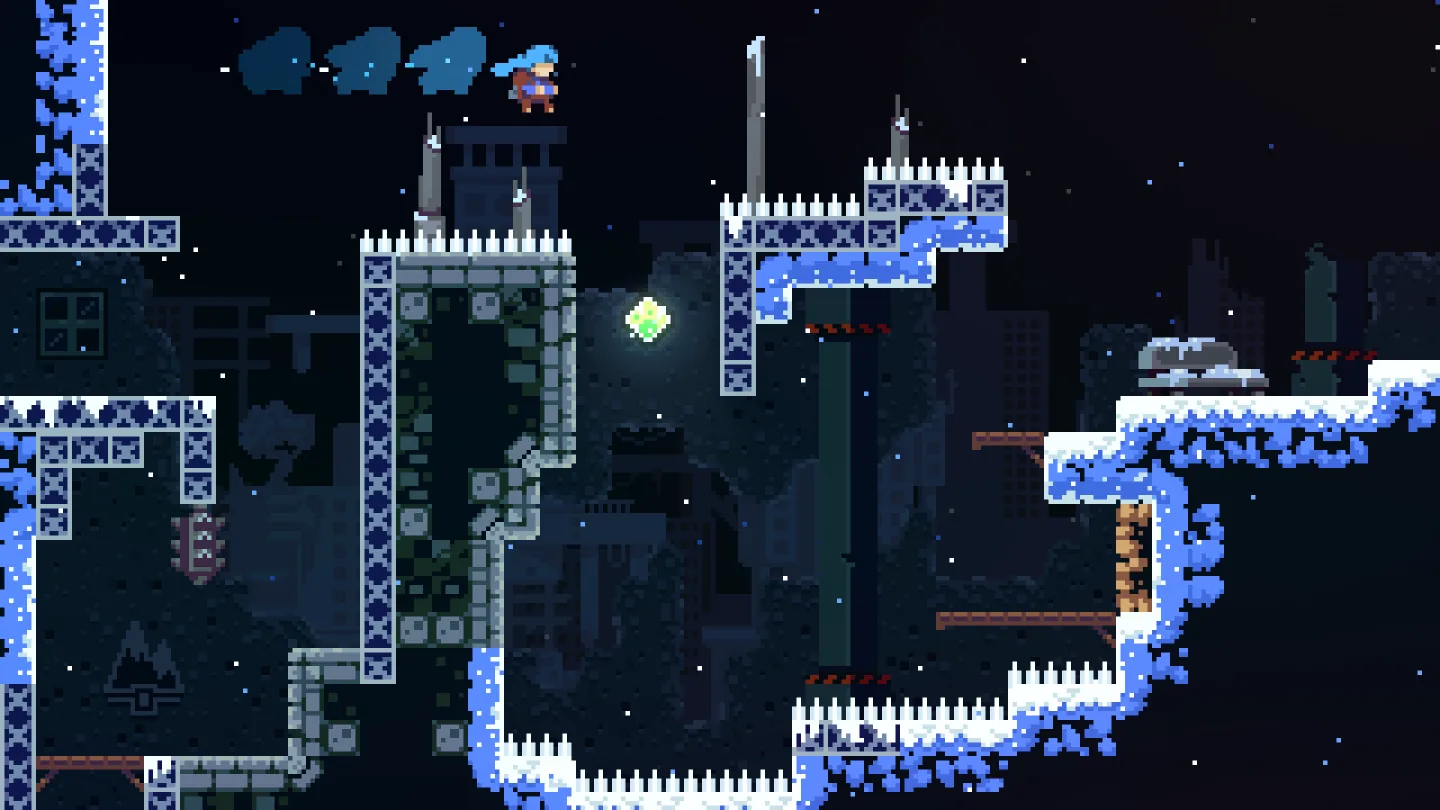
[Celeste](https://www.celestegame.com/) · © Maddy Makes Games / Extremely OK Games. All rights reserved.
1. The character adjusts movement in the air
2. A safe surface among spikes
- Handle release and focus loss so actions cannot remain stuck.
- [Celeste](https://www.celestegame.com/)
## How it works
Basic ways to associate a key's state with an action.
## Variants
### Variants and applications
- Action when pressed. Action: Going from the released state to the pressed state triggers one action. Application: Jump, shoot, confirm, set a note in the sequencer. Conditions: Repeated OS events while holding should not be considered new physical presses. Equipment: Regular keyboard.
- Release action. Action: The action starts after transitioning to the released state. Application: Release an arrow, throw an object, complete a gesture or recording. Conditions: First you need to register the press; loss of focus is not considered an intentional release. Equipment: Regular keyboard.
- Continuous retention. Action: The effect lasts as long as the key is pressed. Application: Block, engine thrust, continuous sound, temporary map view. Conditions: The duration of the effect is calculated by time, not by the frequency of OS events. Equipment: Regular keyboard.
- Switch. Action: Each individual press changes the “on/off” state. Application: Flashlight, auto-movement, recording, stealth mode. Conditions: The state should be clear from feedback. Equipment: Regular keyboard.
- Short or long press. Action: Short press and hold longer than the threshold gives different results. Application: Fast attack or strong attack; select an object or open its properties. Conditions: A short action usually has to be delayed until released or explicitly canceled. Equipment: A regular keyboard.
- Ending threshold hold. Action: The action is triggered when the required hold duration is reached. Application: Open a heavy door, confirm reset, finish picking the lock. Conditions: You need to decide whether the action is triggered once or repeated the next time you hold. Equipment: Regular keyboard.
- Magnitude by duration. Action: The duration of the press determines the numerical value. Application: Jump height, throw force, stroke length, musical note duration. Conditions: This is a software time model, not a measurement of the force of pressing. Equipment: A regular keyboard.
- Press, check, release. Action: Pressing shows a preliminary result, releasing confirms it. Application: Aiming a grenade, previewing an ability, listening to a sample. Conditions: Set in advance how to cancel confirmation. Equipment: Regular keyboard.
## Context and limits
Author's working classification for designing games and interactions. Options can overlap and combine; the list is not a generally accepted standard or proven exhaustive list. Application examples are conditional unless a specific verifiable observation is indicated nearby. Sources support individual techniques and technical limitations.
## Connected materials
## Sources and provenance
Original editorial design catalog consolidated from project discussions on 2026-10-20. Complete discussion item lists and contextual limitations are preserved; linked primary sources support specific techniques, not the entire classification. English translation was prepared with machine assistance and editorial review.
- [Celeste](https://www.celestegame.com/) (id: source-b04ab56260801e8c)
CC-BY-4.0 · gamemechanics.pro contributors