---
key: mechanic/keyboard--family-editing
type: mechanic
id: keyboard--family-editing
lang: en
title: 'Editing, commands and automation'
summary: >-
The keyboard edits a document or program, invokes commands and combines
actions into repeatable sequences.
updatedAt: '2026-10-22'
status: active
url: 'https://gamemechanics.pro/en/knowledge/mechanic/keyboard--family-editing/'
jsonUrl: >-
https://gamemechanics.pro/api/v1/knowledge/en/mechanic/keyboard--family-editing.json
markdownUrl: >-
https://gamemechanics.pro/content/knowledge/en/mechanic/keyboard--family-editing.md
aliases:
- Editing and commands
tags:
- Physical keyboard interactions
- Interface
sourceIds:
- source-76cfa0e9f5046b57
sources:
- id: source-76cfa0e9f5046b57
title: GitHub / Visual Studio Code
url: >-
https://docs.github.com/en/pull-requests/how-tos/review-pull-requests/reviewing-proposed-changes-in-a-pull-request
verifiedAt: null
relations: []
placements:
- catalogId: keyboard
id: family-editing
title: Physical keyboard interactions
url: 'https://gamemechanics.pro/en/mechanics/keyboard/#family-editing'
categoryIds:
- section-7
supersededBy: []
attributes:
preview:
updatedAt: '2026-10-22'
title: Editing and commands
description: >-
The keyboard edits a document or program, invokes commands and combines
actions into repeatable sequences.
image:
src: images/mechanics/learning-github-suggestion.webp
width: 1440
height: 803
crop:
x: 641
'y': 181
width: 788
height: 530
game: GitHub / Visual Studio Code
sourceUrl: >-
https://docs.github.com/en/pull-requests/how-tos/review-pull-requests/reviewing-proposed-changes-in-a-pull-request
originalUrl: >-
https://docs.github.com/assets/cb-122600/images/help/codespaces/review-suggestion.png
credit: GitHub documentation contributors
rights: >-
© GitHub documentation contributors. Screenshot from GitHub Docs.
Third-party application imagery; excluded from portal MIT and CC BY 4.0.
caption: 'GitHub in VS Code: feedback on a code line with a suggested replacement'
alt: 'GitHub in VS Code: feedback on a code line with a suggested replacement'
markers:
- x: 68
'y': 56
label: The comment contains a specific suggested change
tips:
- Provide undo and preview for compound changes.
examples:
- title: GitHub / Visual Studio Code
url: >-
https://docs.github.com/en/pull-requests/how-tos/review-pull-requests/reviewing-proposed-changes-in-a-pull-request
endsAt: null
provenance: >-
Original editorial design catalog consolidated from project discussions on
2026-10-20. Complete discussion item lists and contextual limitations are
preserved; linked primary sources support specific techniques, not the entire
classification. English translation was prepared with machine assistance and
editorial review.
license: CC-BY-4.0
codeLicense: MIT
attribution: gamemechanics.pro contributors
catalogKey: catalog/keyboard
---
# Editing, commands and automation
id: keyboard--family-editing
type: mechanic
key: mechanic/keyboard--family-editing
lang: en
status: active
url: https://gamemechanics.pro/en/knowledge/mechanic/keyboard--family-editing/
The keyboard edits a document or program, invokes commands and combines actions into repeatable sequences.
## At a glance
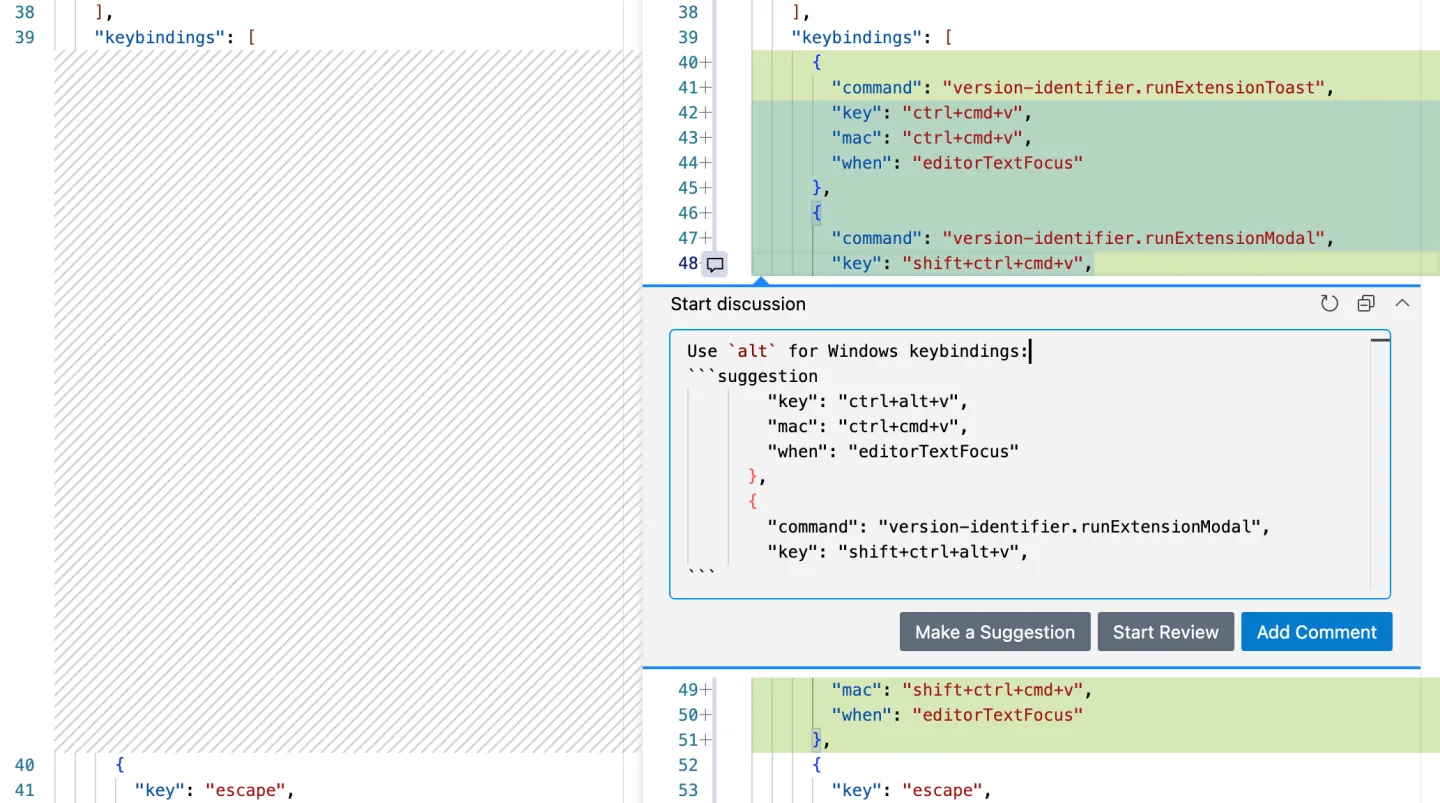
[GitHub / Visual Studio Code](https://docs.github.com/en/pull-requests/how-tos/review-pull-requests/reviewing-proposed-changes-in-a-pull-request) · © GitHub documentation contributors. Screenshot from GitHub Docs. Third-party application imagery; excluded from portal MIT and CC BY 4.0.
1. The comment contains a specific suggested change
- Provide undo and preview for compound changes.
- [GitHub / Visual Studio Code](https://docs.github.com/en/pull-requests/how-tos/review-pull-requests/reviewing-proposed-changes-in-a-pull-request)
## How it works
Ways to manage compound activities, documents, and authoring tools.
## Variants
### Variants and applications
- Cursor and text selection. Action: Move the insertion point, expand the selection, select words or blocks. Application: Text editor, console, puzzle for rearranging fragments. Conditions: Character-by-character and word-by-word movement must take into account the language and compound characters. Equipment: Regular keyboard.
- Removal, insertion and replacement. Action: Backspace, Delete, replace mode and selection operations change the content. Application: Correcting documents, repairing code, creating a message from a blank. Conditions: Environment restrictions may apply for pasting from the clipboard. Equipment: Regular keyboard.
- Undo and redo an action. Action: Move back and forth through operation history. Applications: Level editors, drawing, experimental puzzles, creative tools. Conditions: Reverting application history is different from canceling the current incomplete command. Equipment: Regular keyboard.
- Numeric prefix. Action: The number in front of the command sets the number of repetitions or scale. Application: Take ten steps, duplicate the object several times, repeat the cursor movement. Conditions: You need number boundaries and a prefix ending rule. Equipment: A regular keyboard.
- Operator and scope. Action: One command specifies an operation, the other selects an object or range. Application: Modal editor, mass deletion of cells, processing parts of a structure. Conditions: Combinations must obey a single grammar. Equipment: Regular keyboard.
- Recording and executing a macro. Action: A sequence of user actions is saved and launched with one command. Application: Editor automation, robot training, production pipeline. Conditions: Specify whether events with timing or semantic commands are recorded. Equipment: Regular keyboard.
- Registers and instruction sets. Action: Several saved fragments or macros are available on separate keys. Application: Cue buffer, musical phrases, code templates, programs for different robots. Conditions: Visibility of the contents of the selected register is required. Equipment: Regular keyboard.
- Step by step execution and pause. Action: Keys start, stop and advance the process one step. Application: Debugging, animation, simulations, programming training and editing. Conditions: Separately determine what happens to the accumulated input after a pause. Equipment: Regular keyboard.
## Context and limits
Author's working classification for designing games and interactions. Options can overlap and combine; the list is not a generally accepted standard or proven exhaustive list. Application examples are conditional unless a specific verifiable observation is indicated nearby. Sources support individual techniques and technical limitations.
## Connected materials
## Sources and provenance
Original editorial design catalog consolidated from project discussions on 2026-10-20. Complete discussion item lists and contextual limitations are preserved; linked primary sources support specific techniques, not the entire classification. English translation was prepared with machine assistance and editorial review.
- [GitHub / Visual Studio Code](https://docs.github.com/en/pull-requests/how-tos/review-pull-requests/reviewing-proposed-changes-in-a-pull-request) (id: source-76cfa0e9f5046b57)
CC-BY-4.0 · gamemechanics.pro contributors