---
key: mechanic/electronic-devices--family-g20
type: mechanic
id: electronic-devices--family-g20
lang: en
title: Measurements and detection
summary: >-
An instrument turns an invisible property or signal into a reading. The player
aims it, obtains a result and interprets the finding.
updatedAt: '2026-10-22'
status: active
url: >-
https://gamemechanics.pro/en/knowledge/mechanic/electronic-devices--family-g20/
jsonUrl: >-
https://gamemechanics.pro/api/v1/knowledge/en/mechanic/electronic-devices--family-g20.json
markdownUrl: >-
https://gamemechanics.pro/content/knowledge/en/mechanic/electronic-devices--family-g20.md
aliases: []
tags:
- Electronic devices in games
- World
sourceIds:
- source-4e22a7f341a5d0ce
sources:
- id: source-4e22a7f341a5d0ce
title: Subnautica
url: 'https://store.steampowered.com/app/264710/'
verifiedAt: null
relations: []
placements:
- catalogId: electronic-devices
id: family-g20
title: Electronic devices in games
url: 'https://gamemechanics.pro/en/mechanics/electronic-devices/#family-g20'
categoryIds:
- section-2
supersededBy: []
attributes:
preview:
updatedAt: '2026-10-22'
title: Measurements and detection
description: >-
An instrument turns an invisible property or signal into a reading. The
player aims it, obtains a result and interprets the finding.
image:
src: images/mechanics/subnautica-scanner.webp
width: 1440
height: 810
game: Subnautica
sourceUrl: 'https://store.steampowered.com/app/264710/'
originalUrl: >-
https://shared.akamai.steamstatic.com/store_item_assets/steam/apps/264710/ss_e182b6b20bb797500f9f63c561586d920d44e37c.1920x1080.jpg?t=1777456112
credit: Unknown Worlds Entertainment
rights: © Unknown Worlds Entertainment. All rights reserved.
caption: The scanner is ready to examine a target
alt: >-
Subnautica: the right hand holds a scanner displaying READY TO SCAN,
facing a fish and the underwater environment.
markers:
- x: 68
'y': 64
label: READY TO SCAN status display
- x: 49
'y': 54
label: An object in front of the instrument
tips:
- Explain what the instrument measures and what it cannot detect.
examples:
- title: Subnautica
url: 'https://store.steampowered.com/app/264710/'
endsAt: null
provenance: >-
Original editorial design catalog consolidated from project discussions on
2026-10-20. Complete discussion item lists and contextual limitations are
preserved; linked primary sources support specific techniques, not the entire
classification. English translation was prepared with machine assistance and
editorial review.
license: CC-BY-4.0
codeLicense: MIT
attribution: gamemechanics.pro contributors
catalogKey: catalog/electronic-devices
---
# Measurements and detection
id: electronic-devices--family-g20
type: mechanic
key: mechanic/electronic-devices--family-g20
lang: en
status: active
url: https://gamemechanics.pro/en/knowledge/mechanic/electronic-devices--family-g20/
An instrument turns an invisible property or signal into a reading. The player aims it, obtains a result and interprets the finding.
## At a glance
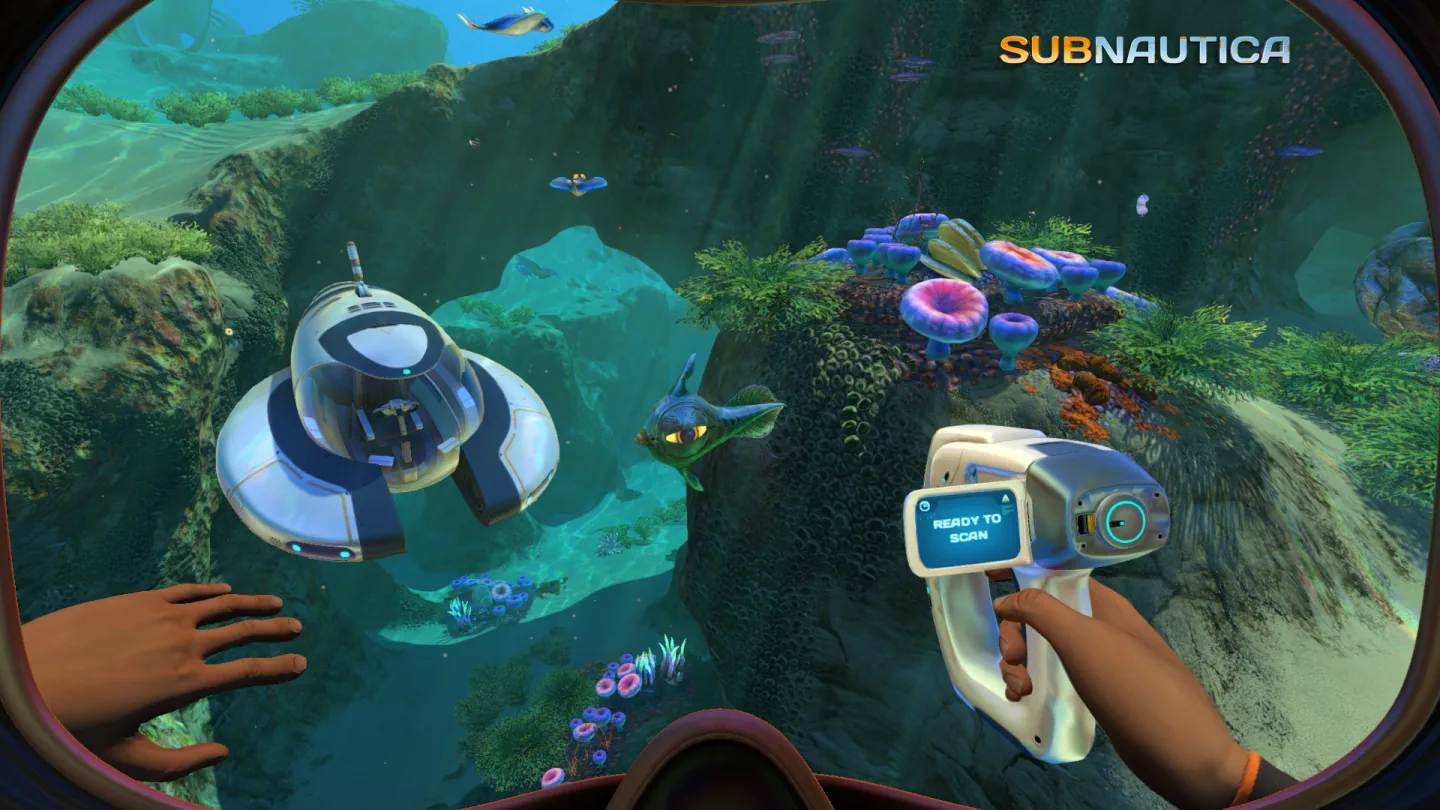
[Subnautica](https://store.steampowered.com/app/264710/) · © Unknown Worlds Entertainment. All rights reserved.
1. READY TO SCAN status display
2. An object in front of the instrument
- Explain what the instrument measures and what it cannot detect.
- [Subnautica](https://store.steampowered.com/app/264710/)
## How it works
Devices: Device; Smartphone; Terminal.
## Variants
### Variants and applications
- Take reading. Rule: Find out the temperature, radiation, pressure or other parameter.
- Reveal the invisible. Rule: Find an object or phenomenon through a special mode of the device.
- Select range. Rule: Switch frequency, sensitivity or scan type.
- Calibrate. Rule: Set up the device according to the standard in order to trust the result.
- Take a series of measurements. Rule: Hold the sensor or repeat the test for a reliable output.
- Distinguish between signal and interference. Rule: Weed out false positives and environmental features.
- Place a network of sensors. Rule: Select measurement points for sufficient coverage of the area.
- Identify by database. Rule: Compare the scan, face, number or other sign with reference data.
## Context and limits
Author's taxonomy of actions, task forms and end-to-end conditions for design. Categories overlap. References support individual families, not every variant.
## Connected materials
## Sources and provenance
Original editorial design catalog consolidated from project discussions on 2026-10-20. Complete discussion item lists and contextual limitations are preserved; linked primary sources support specific techniques, not the entire classification. English translation was prepared with machine assistance and editorial review.
- [Subnautica](https://store.steampowered.com/app/264710/) (id: source-4e22a7f341a5d0ce)
CC-BY-4.0 · gamemechanics.pro contributors