---
key: mechanic/electronic-devices--family-g10
type: mechanic
id: electronic-devices--family-g10
lang: en
title: Calls and voice communication
summary: >-
A device connects speakers over a voice channel. The player starts a call,
listens, responds and ends the connection.
updatedAt: '2026-10-22'
status: active
url: >-
https://gamemechanics.pro/en/knowledge/mechanic/electronic-devices--family-g10/
jsonUrl: >-
https://gamemechanics.pro/api/v1/knowledge/en/mechanic/electronic-devices--family-g10.json
markdownUrl: >-
https://gamemechanics.pro/content/knowledge/en/mechanic/electronic-devices--family-g10.md
aliases: []
tags:
- Electronic devices in games
- Connection
sourceIds:
- source-3992177cb9c36d87
sources:
- id: source-3992177cb9c36d87
title: Duolingo
url: 'https://blog.duolingo.com/product-highlights/'
verifiedAt: null
relations: []
placements:
- catalogId: electronic-devices
id: family-g10
title: Electronic devices in games
url: 'https://gamemechanics.pro/en/mechanics/electronic-devices/#family-g10'
categoryIds:
- section-4
supersededBy: []
attributes:
preview:
updatedAt: '2026-10-22'
title: Calls and voice communication
description: >-
A device connects speakers over a voice channel. The player starts a call,
listens, responds and ends the connection.
image:
src: images/mechanics/duolingo-video-call.webp
width: 1400
height: 800
crop:
x: 150
'y': 50
width: 1100
height: 700
game: Duolingo
sourceUrl: 'https://blog.duolingo.com/product-highlights/'
originalUrl: >-
https://storage.ghost.io/c/7a/33/7a33d0f4-927d-4fe8-a6bf-96131b5e76d4/content/images/2025/12/EN-DuolingoProductYIR-Video-Call-1.png
credit: 'Duolingo, Inc.; official screenshot comparison of Video Call with Lily'
rights: >-
Screenshots © their respective rights holders. Provided in the official
guide or product article; all rights reserved. Excluded from MIT and CC
BY 4.0.
caption: Starting a call and ending it
alt: Starting a call and ending it
markers:
- x: 23
'y': 58
label: The button starts a conversation with Lily
- x: 50
'y': 84
label: A separate button ends the call
tips:
- Show connection status and whose turn it is to speak.
examples:
- title: Duolingo
url: 'https://blog.duolingo.com/product-highlights/'
endsAt: null
provenance: >-
Original editorial design catalog consolidated from project discussions on
2026-10-20. Complete discussion item lists and contextual limitations are
preserved; linked primary sources support specific techniques, not the entire
classification. English translation was prepared with machine assistance and
editorial review.
license: CC-BY-4.0
codeLicense: MIT
attribution: gamemechanics.pro contributors
catalogKey: catalog/electronic-devices
---
# Calls and voice communication
id: electronic-devices--family-g10
type: mechanic
key: mechanic/electronic-devices--family-g10
lang: en
status: active
url: https://gamemechanics.pro/en/knowledge/mechanic/electronic-devices--family-g10/
A device connects speakers over a voice channel. The player starts a call, listens, responds and ends the connection.
## At a glance
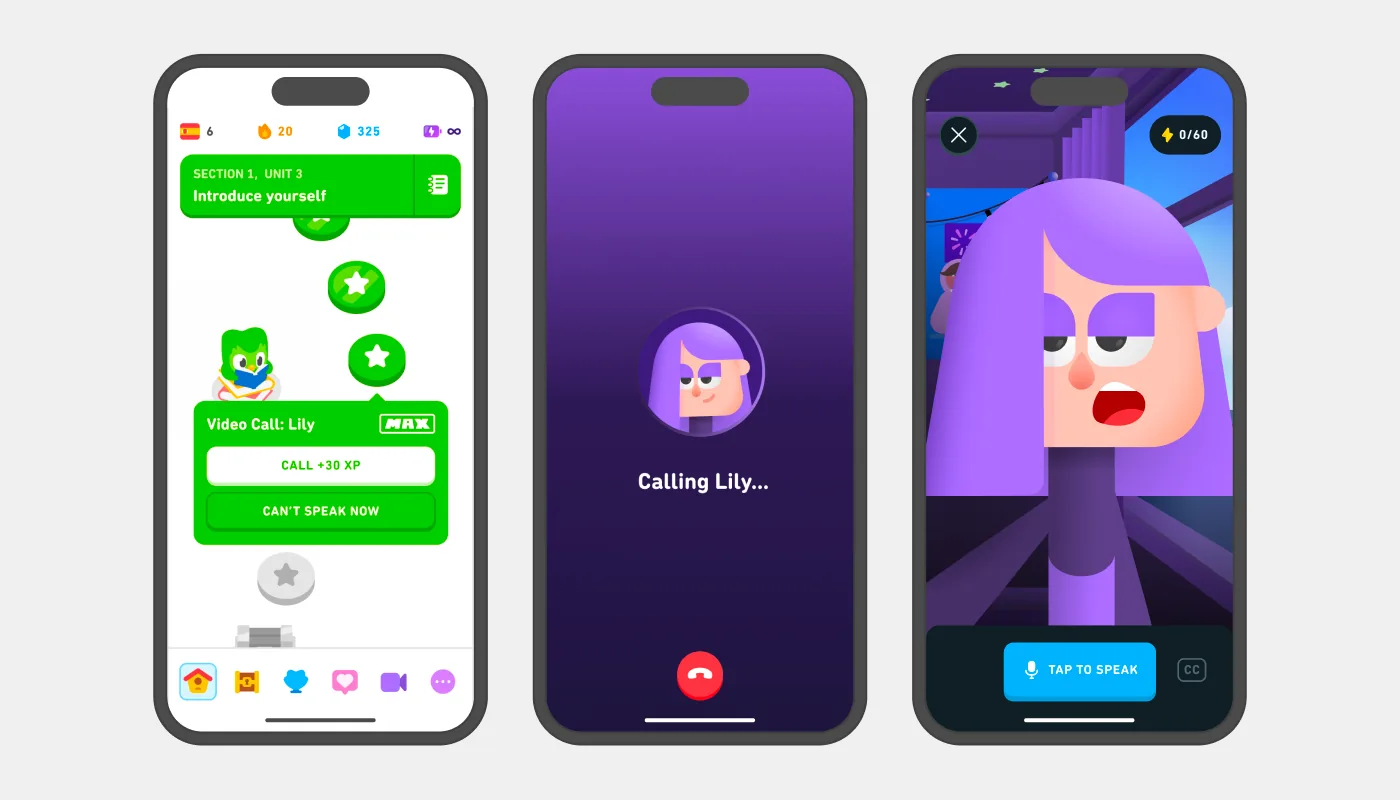
[Duolingo](https://blog.duolingo.com/product-highlights/) · Screenshots © their respective rights holders. Provided in the official guide or product article; all rights reserved. Excluded from MIT and CC BY 4.0.
1. The button starts a conversation with Lily
2. A separate button ends the call
- Show connection status and whose turn it is to speak.
- [Duolingo](https://blog.duolingo.com/product-highlights/)
## How it works
Devices: Smartphone; Computer; Walkie Talkie; Terminal.
## Variants
### Variants and applications
- Call the number. Rule: Dial the combination you found and establish contact yourself.
- Reply or decline. Rule: Select whether to accept an incoming call and the associated consequences.
- Carry on a conversation. Rule: Choose cues, information and tone of communication through the device.
- Break or hold the line. Rule: Manage the duration of contact, risk and availability of the interlocutor.
- Use voicemail. Rule: Listen to the message left or record your own...
- Go through the voice menu. Rule: Select the correct points of the automatic operator.
- Connect subscribers. Rule: Switch the line, arrange a conference or transfer the conversation to the recipient...
- Chat via video. Rule: Use visible surroundings and gestures along with speech...
## Context and limits
Author's taxonomy of actions, task forms and end-to-end conditions for design. Categories overlap. References support individual families, not every variant.
## Connected materials
## Sources and provenance
Original editorial design catalog consolidated from project discussions on 2026-10-20. Complete discussion item lists and contextual limitations are preserved; linked primary sources support specific techniques, not the entire classification. English translation was prepared with machine assistance and editorial review.
- [Duolingo](https://blog.duolingo.com/product-highlights/) (id: source-3992177cb9c36d87)
CC-BY-4.0 · gamemechanics.pro contributors